
What is a Smart Notification: Your Go-To Guide
Are you prioritizing your own channels to sell your products this year?
You’re not alone.
I’ve talked to many retailers who are doing the same, from localization initiatives to DTC campaigns.
Post-pandemic, you want your brand to be as reactive as possible, right? Especially as consumer and shopping behavior are shifting at unprecedented rates.
So how do you get reactive on your webshop?
Dynamic Messaging is one way you can make your merchandising smarter and scalable. It’s a chance to communicate with your customers in the best way while personalizing their journeys.
We’ve written about different kinds of Dynamic Messaging from product badges to overlays. But prioritizing your own channel often means bringing the implementation of these messages into your own hands.
Today, we’re going to tackle ecommerce notifications. I’ll show you how to elevate the ecommerce notification from push (annoying) to smart (AI-optimized).
Plus, I’ll show you how, with Crobox, you can actually set up your own smart notifications independent of global or whoever is currently in control of your webshop technology.
This is your chance to be reactive and autonomous with your ecommerce merchandising, communication, and personalization.
We’ll cover:
- What are ecommerce smart notifications
- How to leverage them (+ what NOT to do)
- The psychology of ecommerce smart notifications
- 3 examples from big brands
- Best practices for leveraging notifications on your PDP, PLP, and at Checkout
What are ecommerce smart notifications?
ecommerce smart notifications are pop-ups that leverage long-form copy to drive purchase behavior. These messages are often persuasive, appealing to the information-driven stage of the buyer’s journey.
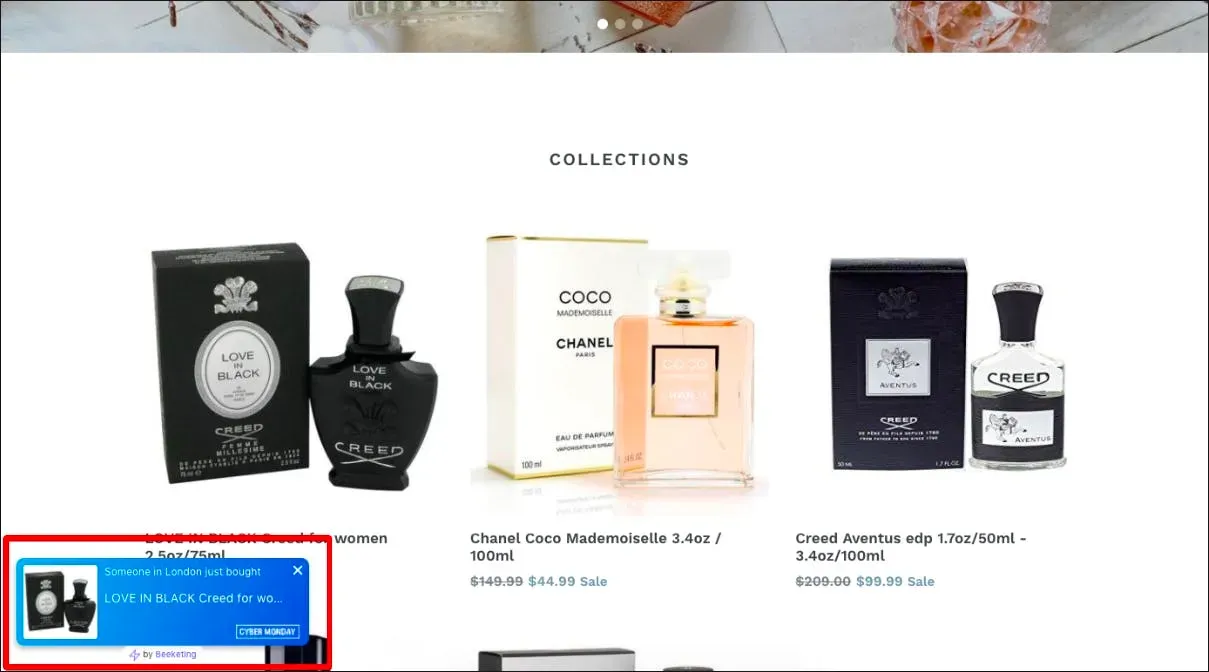
In short, ecommerce notifications become smart notifications when they are:
- AI-optimized
- Personalized to the user
- Leveraging psychological principles to drive behavior
How did we get to the smart notification?
Let’s rewind a bit.
From ads to interactive push notifications
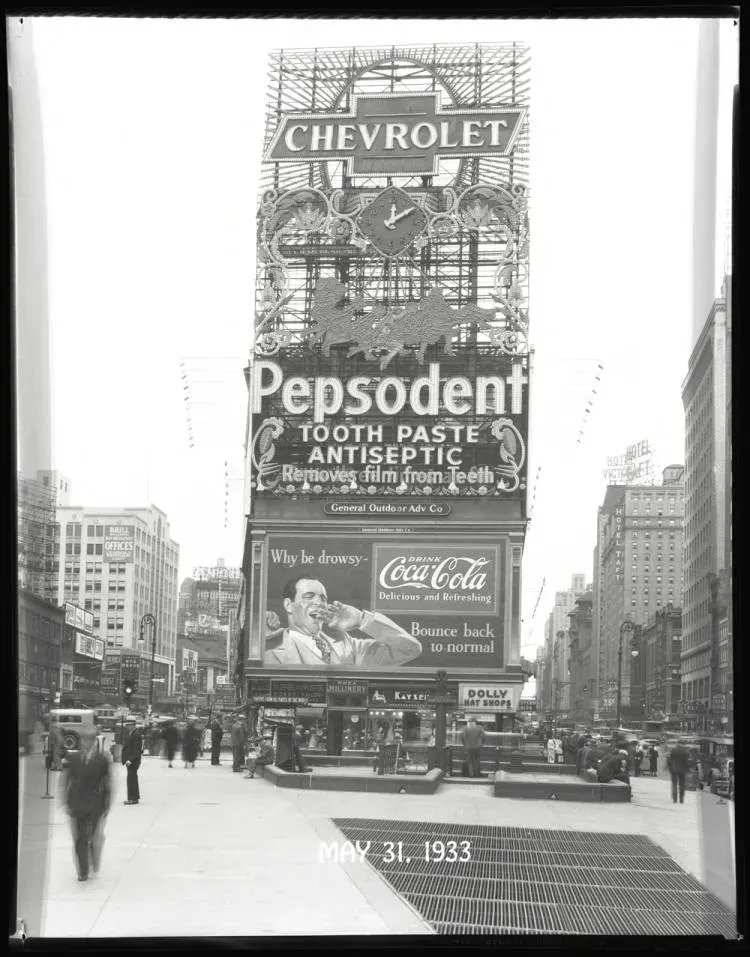
It’s 1933. Your shopper is looking to buy Bourbon. They shimmy down the street in roaring ‘20s attire.
Left, right, and center are glittery banners marking the end of prohibition. And advertising your competitors’ Bourbon to celebrate.
You call out to the consumer and tell them why they should go for your Bourbon – ‘it’s got honey-suckle flavors and you’ll look like a star drinking it!’
Some stay to try your Bourbon. Others walk away because:
- You’re shouting in their face
- They weren’t looking for Bourbon in the first place
Fast forward to the rise of digital marketing and this communication looks similar to push notifications on social, SMS, Email, and mobile apps.
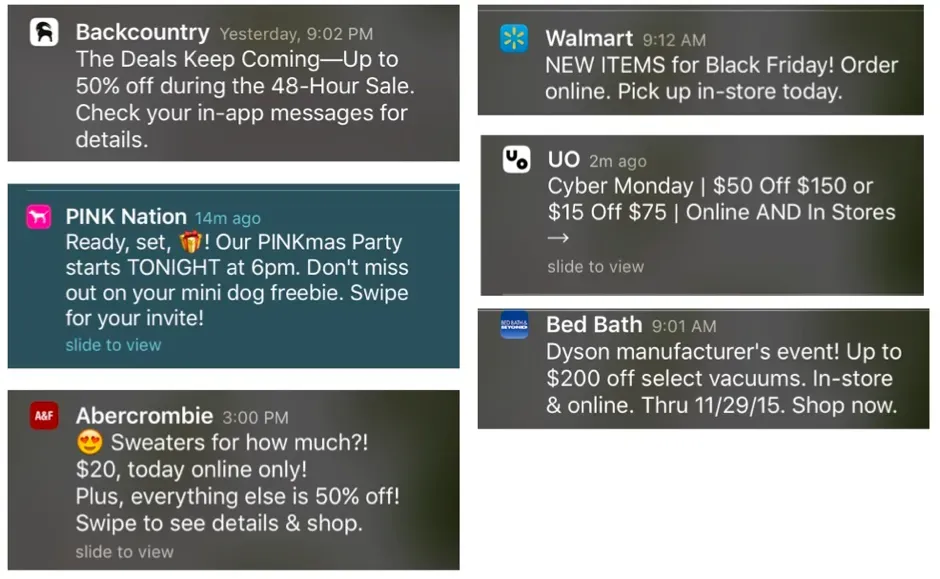
Of course, consumers now have the option to “Allow” push notifications, to protect their time and attention. In ecommerce, this data privacy feature differentiates the line between the ‘push’ and ‘smart’ notifications.
To put it simply, ecommerce smart notifications:
- Don’t shout at the customer
- Are placed in a way that benefits the customer’s attention
- Are personalized based on the user’s history without infringing on data-privacy
For instance, you won’t leverage an ecommerce smart notification with random information NOT in line with your shopper’s goals.
Or, in other words, if they don’t want bourbon, they won’t get sold bourbon.
Seems pretty straightforward, right?
But that’s the big difference between the ‘push’ and ‘smart’ notification. With that in mind, here’s more of what NOT to do when leveraging ecommerce notifications.
ecommerce notifications: What NOT to do
- Don’t shout! Creating urgency is good, but it should be done in a conversational way.
- Don’t leverage Dark Patterns (these are manipulative persuasion tactics that are often untrue).
- Don’t overload the user’s eye (check out the principles of cognitive fluency on how to do this).
ecommerce notifications: Do this instead
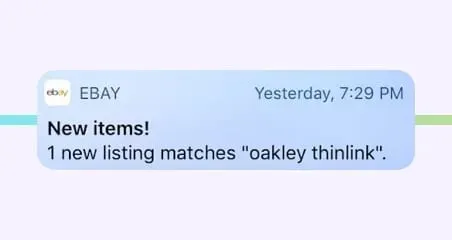
eBay push notifications are actually tailored to the customer’s needs to facilitate their shopping journey. Unfortunately, you don’t see this often enough.
- Leverage relevant behavioral nudges.
- Always have truthful messages.
- Place notifications in a way that doesn’t interfere with the browsing experience.
- Offer relevant information to facilitate decision-making.
Things like nudge marketing, placement, and decision-making actually rely on cognitive models. And herein we enter the realm of behavioral psychology.
A favorite of ours – if you didn’t already know ;).
How do ecommerce notifications drive behavior? A peek at psychology
To understand why an ecommerce smart notification is different from a push notification, it’s all about understanding the behavior of your shoppers as they shop online.
In fact, there’s a great model we can use to determine the best placement and timing of these notifications so that they drive decision-making.
After all, with so many choices online, prompting decisions is a sure-fire way not just to conversions, but to creating a happy and healthy customer experience.
Let’s take a look.
The Fogg Behavior Model for ecommerce notifications
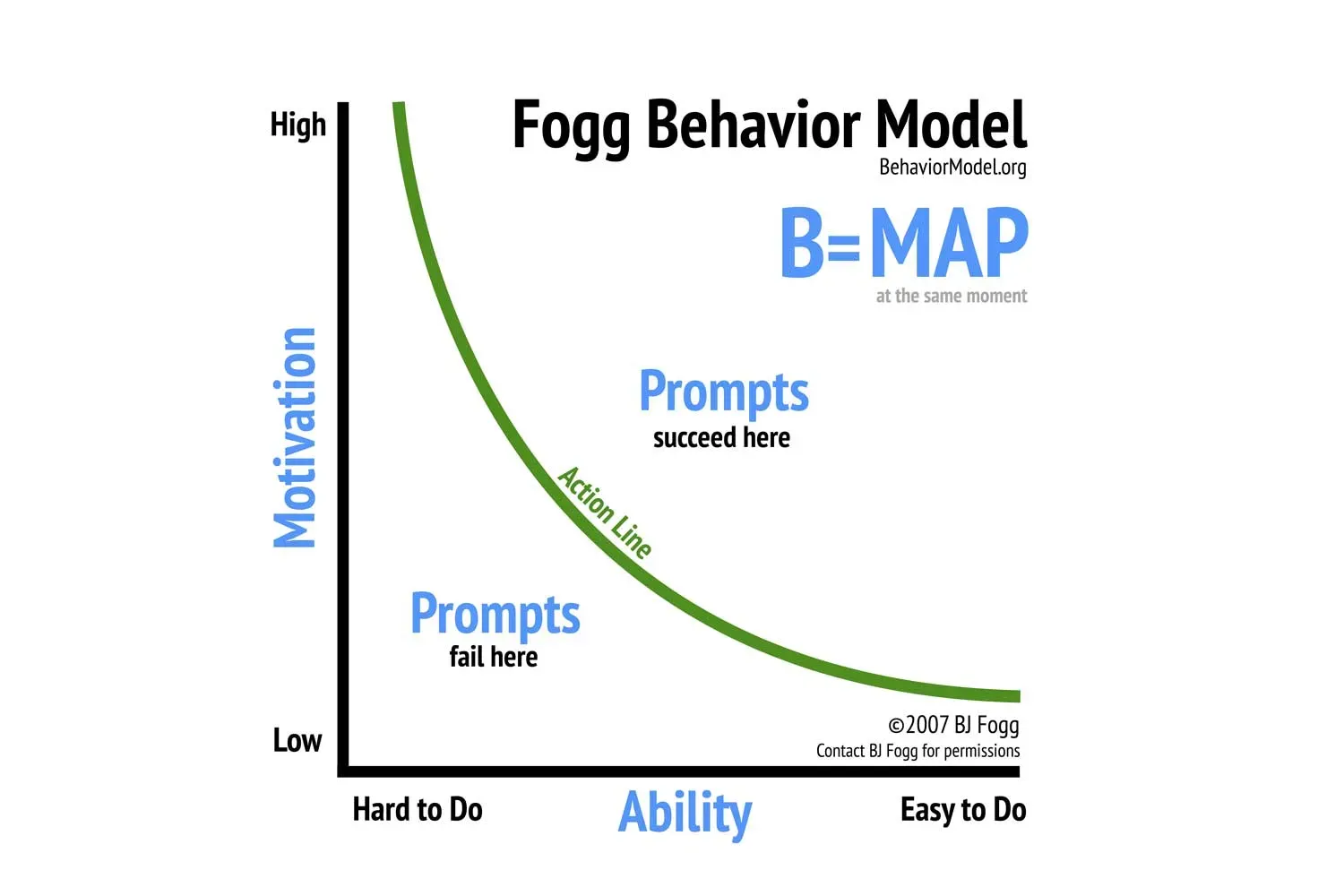
According to the Fogg Behavior Model, if an individual is motivated and able to carry out a task, there should also be a prompt to help them complete said task.
- Task = Online shopping (or finding and exploring your products)
- Motivation = Is your shopper browsing or goal-oriented (i.e., their Shopping State)?
- Prompt = Information that nudges them in the right direction
But remember: The ‘right direction’ here isn’t simply to get them to checkout.
It’s a direction that will help them make better and quicker decisions, so they don’t suffer from hesitation, decision stress, or anxiety when shopping online.
ecommerce smart notifications deliver information-rich copy that is personalized to the customer’s decision-making phase. This helps the customer make better and healthier shopping decisions.
By now you’re probably wondering – this theory is great, but what does it look like in practice?
3 ecommerce smart notifications from big brands + how they drive behavior
1. Under Armour
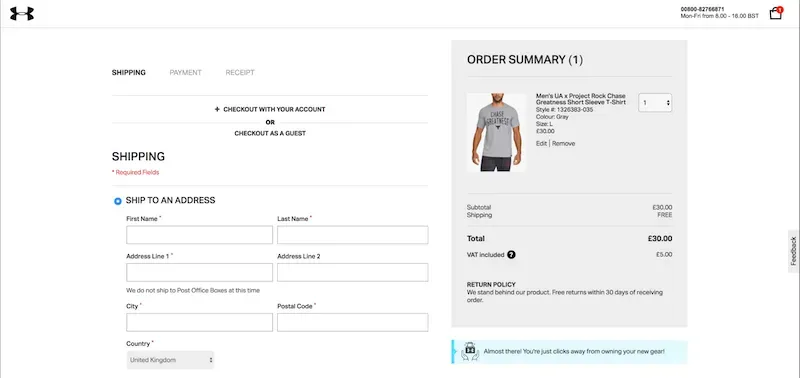
Under Armour leverages the message, “Almost there! You’re just clicks away from owning your new gear!” on their Checkout page.
The shopper is pretty close to buying in their decision-making journey. But we all know that there are many barriers at checkout that could still cause bounce, e.g.,
- Leaving personal details
- Sharing credit card information
- Price upticks (like VAT)
- Asking for an account to checkout
- Additional costs (like shipping or packaging)
To avoid this, Under Armour uses an ecommerce smart notification. The “Almost there!” shows the user that they are nearly at the end of their goal to prompt the idea of a finish line.
Plus, the copy leverages the Endowment Effect which increases a sense of ownership on the products and makes it more likely the shopper will checkout.
2. Foot Locker
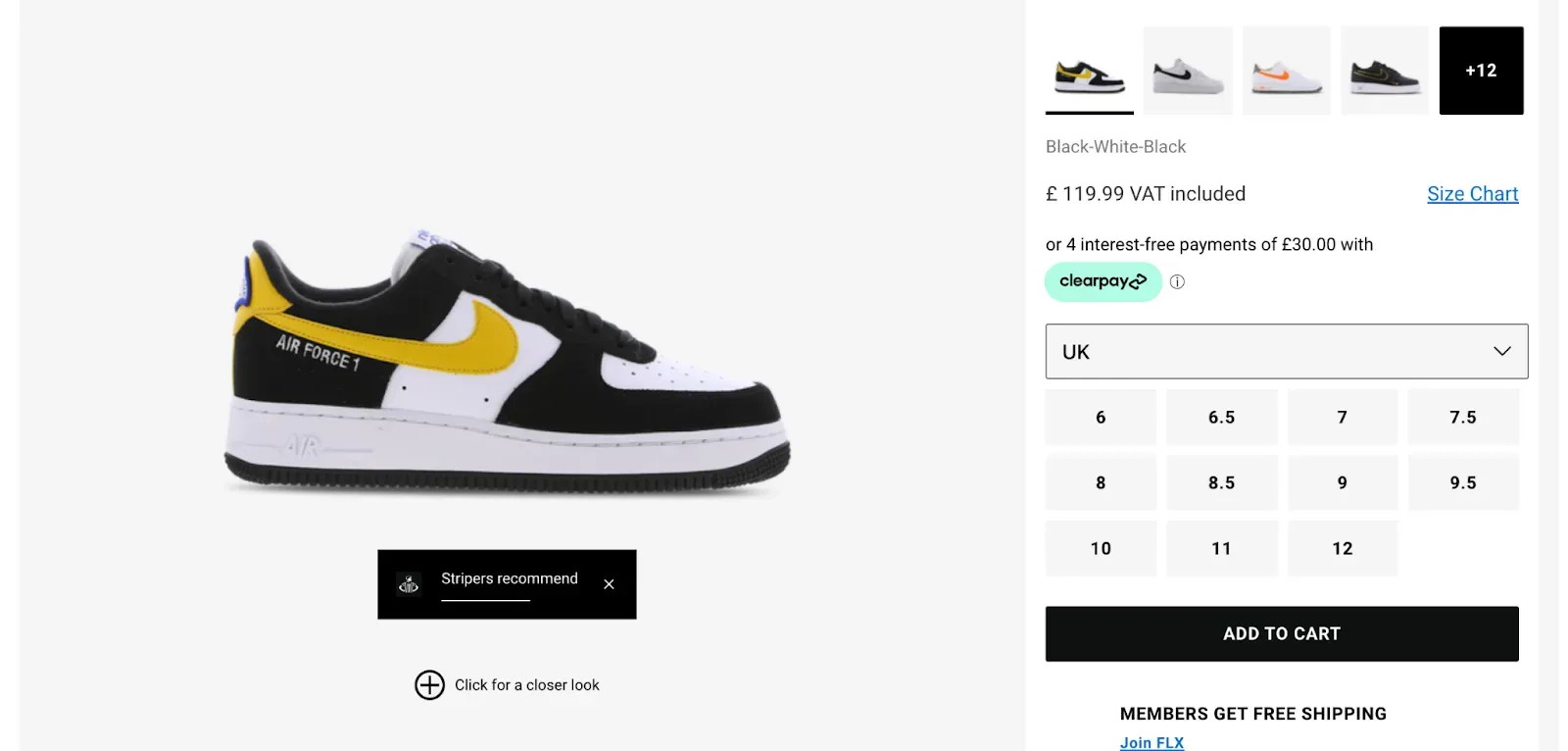
On a product detail page, customers are looking for more product information to facilitate their awareness and consideration.
To prompt these behaviors, Foot Locker leverages the dynamic message “Stripers recommend” in a certain time frame. This does two things:
- Leverages Authority to drive behavior
- Shows more information about the product at the right time
ecommerce notifications become smart when they start learning and then auto-optimizing based on the individual who is seeing the message. Things like re-targeting take this to the next level.
Foot Locker’s notification is a good example of this. Shoppers who recently clicked on products with similar Authority messages are more likely to see this one appear on the product.
Later on, I’ll show you how Crobox makes ecommerce notifications ‘smart’ with testing, data, and personalization.
3. Nike
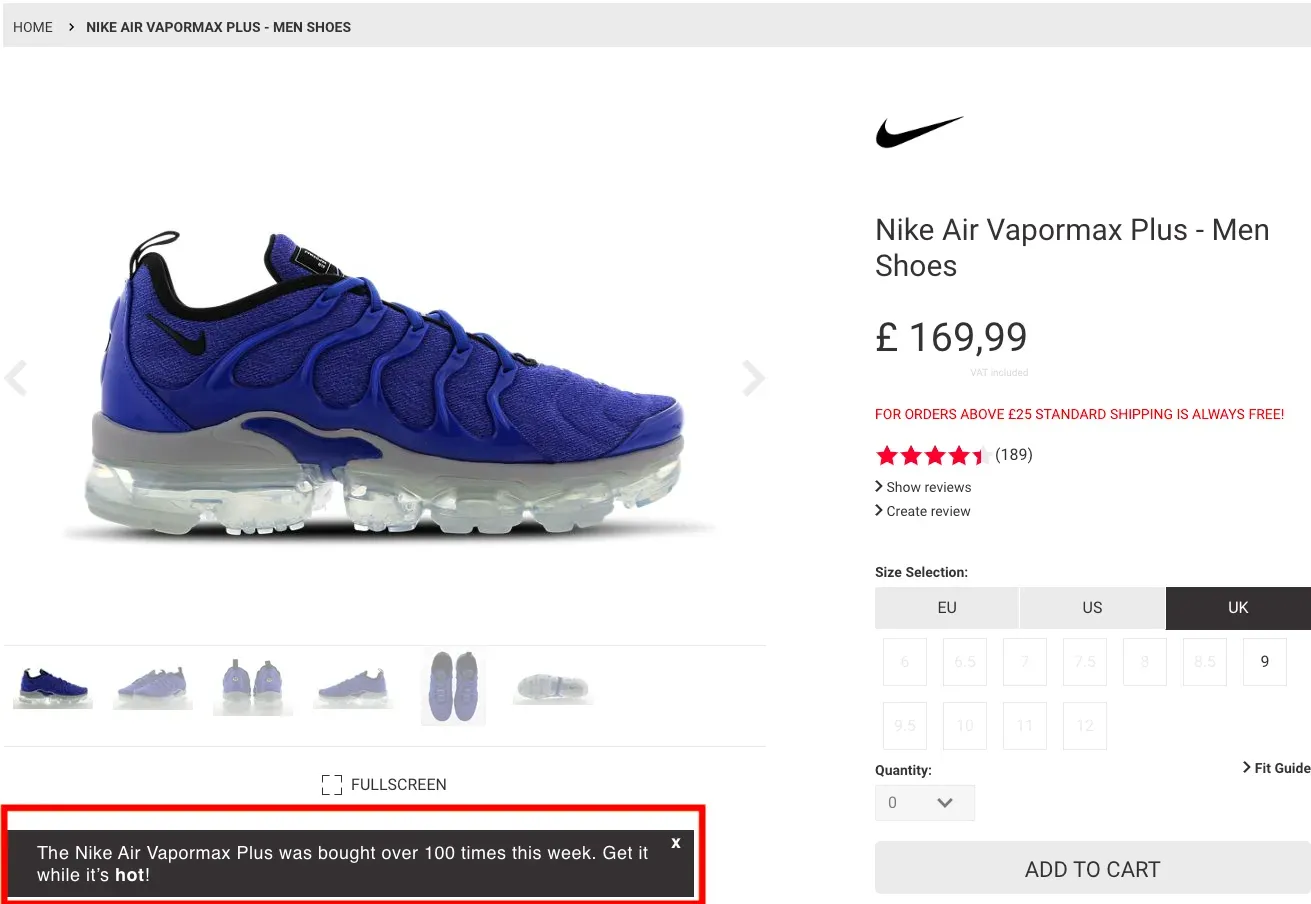
Nike leverages the message, “The Nike Air Vapormax Plus was bought over 100 times this week. Get it while it’s hot!” in their notification.
This triggers interest because it’s based on both Social Proof and Scarcity messaging. E.g.,
- “Bought over 100 times”: Social Proof drives purchase behavior for people who follow the behavior of others when unsure of what decisions to make.
- “Get it while it’s hot!”: Exclusivity Scarcity suggests that a product is exclusive which will drive behavior.
Nike links this message to their product feeds to continuously optimize what people are seeing. You can do something similar by optimizing your stock information and showing when a product is becoming scarce.
Now that you’ve seen how Under Armour, Nike, and Dyson do it, in what ways can you start leveraging ecommerce notifications across the funnel?
Best practices for leveraging ecommerce notifications on the lister, detail, and Checkout page
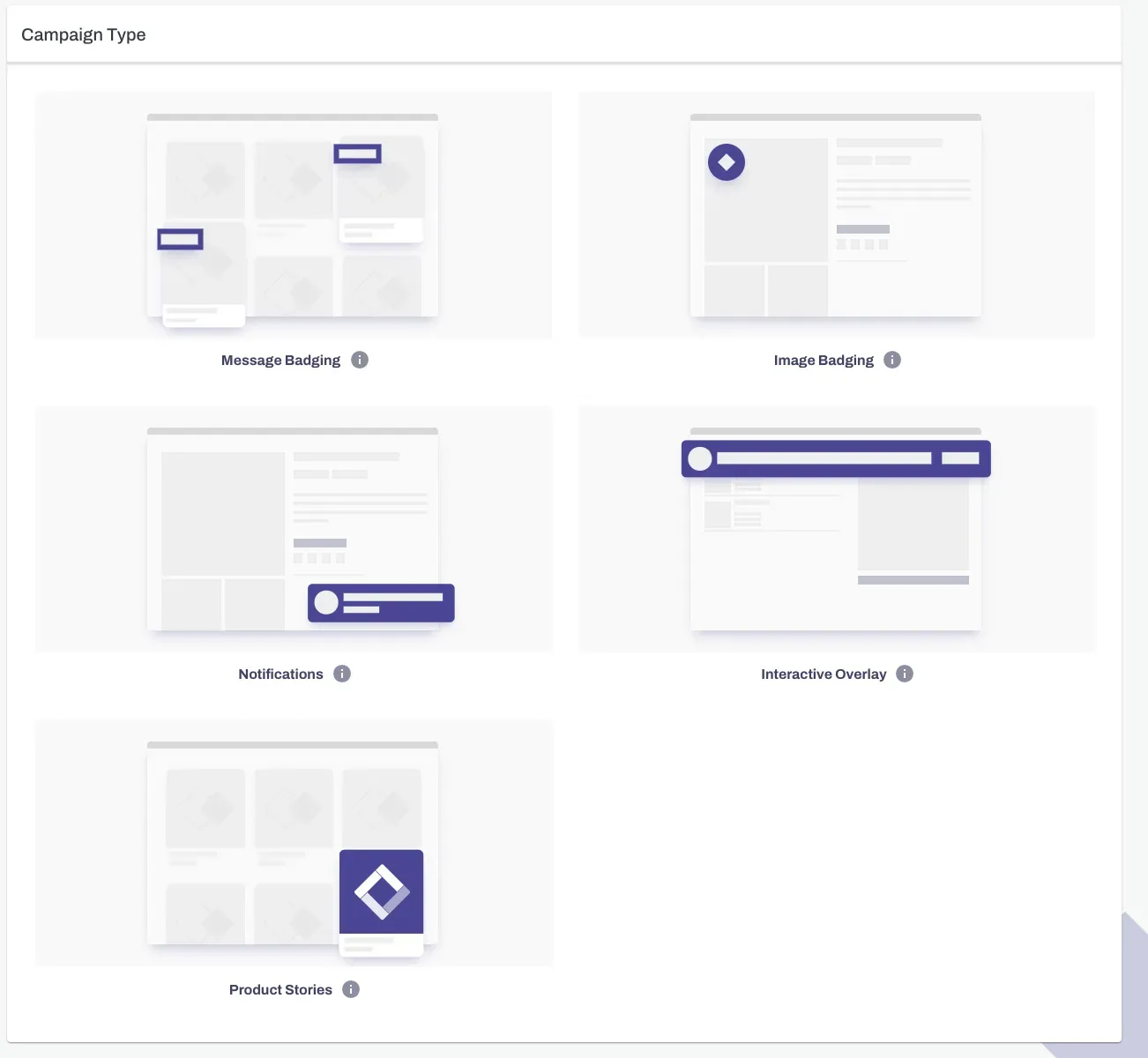
On the Crobox App, you can choose what type of Dynamic Messaging campaign you want to create. Remember that notifications often leverage long-form copy to provide information or persuasive messaging.
This means notifications are a good option if you:
- Want to show product information for promotions
- Have copy that can do so in a persuasive and engaging way
ecommerce notifications on the product lister page (PLP)
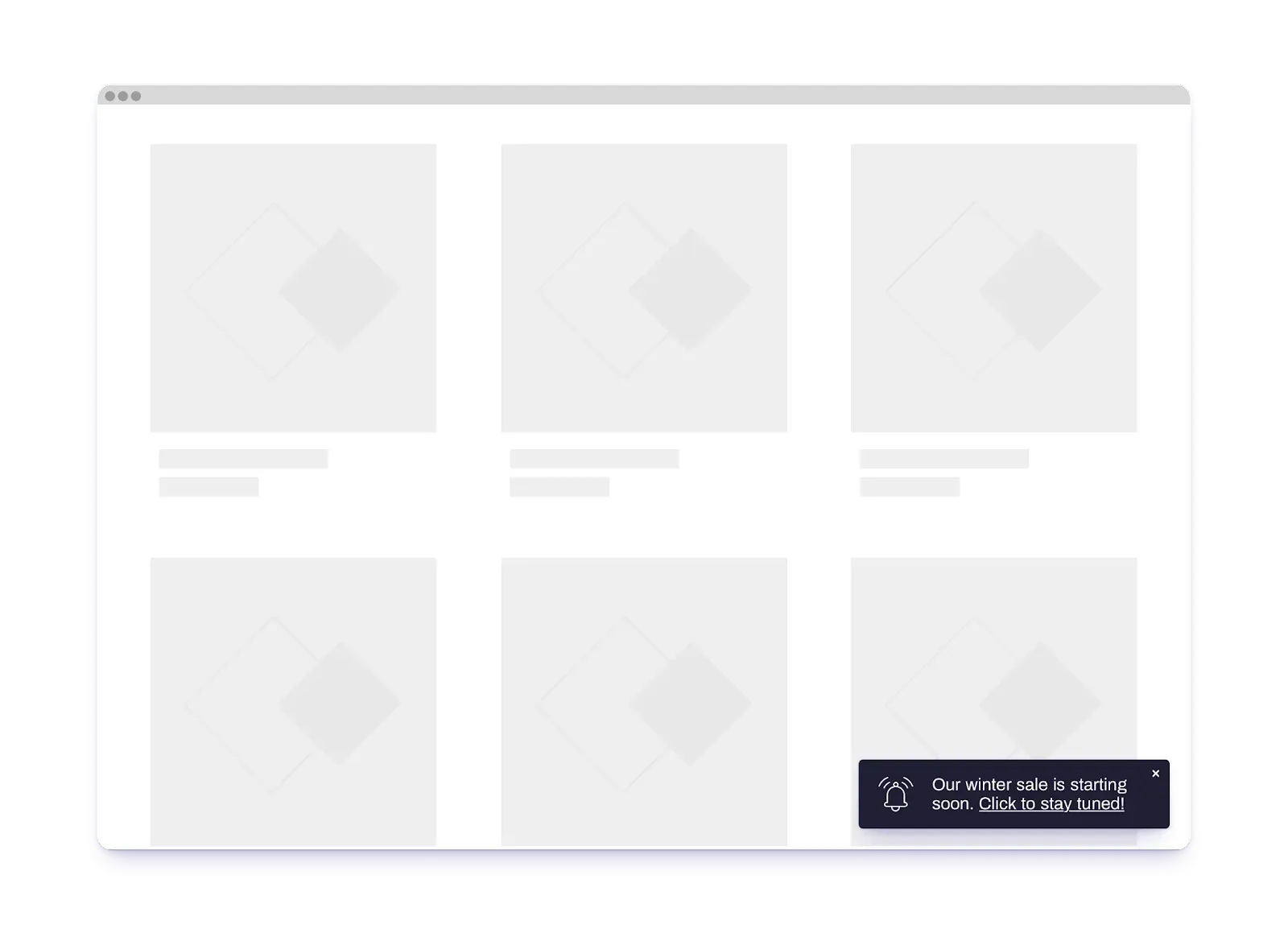
If you’re going for a smart notification on the PLP, don’t forget to consider your shoppers’ decision-making phase.
At this point in their journeys, they are browsing through your collection. Meaning, you have two options for what to communicate in your notification:
- Brand awareness content
- Relevant and ongoing campaigns
Rather than showing more personalized product promotions, a notification on the PLP should be more general to the brand content.
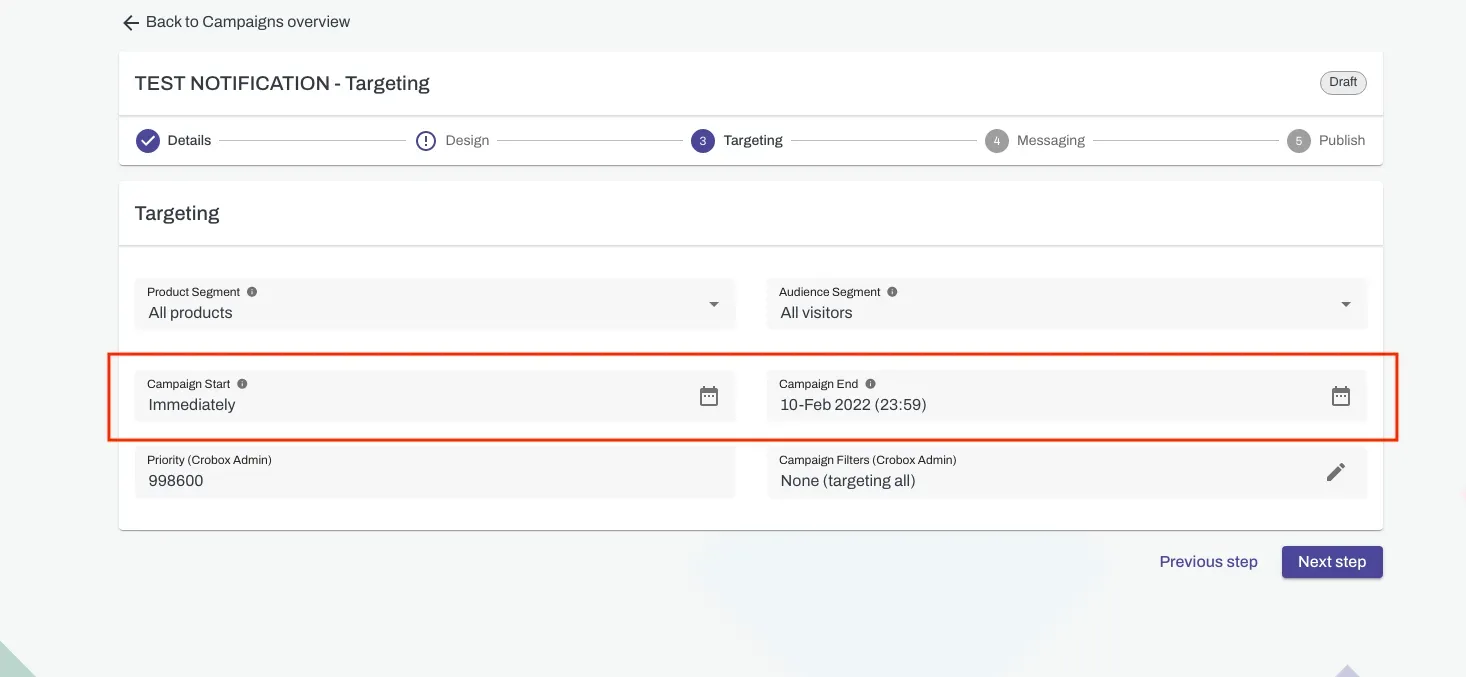
At Crobox, you can create campaign-based messages. For example, say you’re running a Black Friday campaign across multiple channels.
At the targeting stage of designing your notification, you can choose a certain time period to run your campaign.
Meaning, the smart notification will stop running after the campaign time has ended. This is a good best practice for campaign-based notifications.
It means you can compare the impact of your conversions before and after the campaign, and which notifications worked to drive on-site behavior (easy to track in your performance screen).
ecommerce notifications on the product detail page (PDP)
With ecommerce notifications, I recommend placing a product notification on the PDP because this is the decision-making stage where customers are more inclined to read long-form copy to facilitate their product discovery.
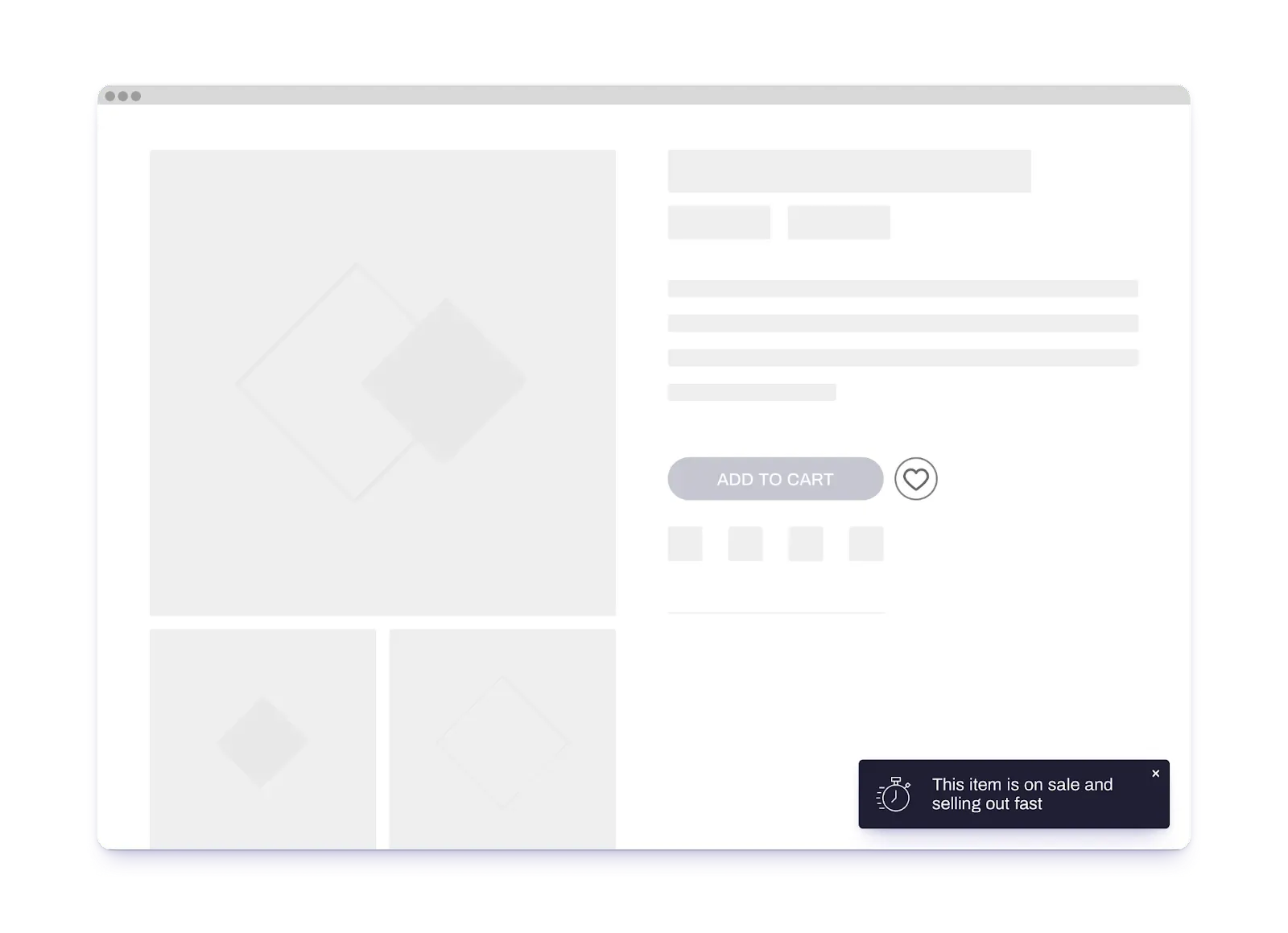
If you’re going for the PDP, you can choose to make these notifications animated. Meaning, they should be triggered based on the user’s click behavior (e.g., scroll, exit-intent, etc).
Then, test your messages. Crobox leverages multivariate testing so that we can test combinations simultaneously.
Our promotion mechanism works to show the best message for the individual user based on their context.
For instance, if a user has already been motivated by Scarcity messaging across different parts of their journey, this is the behavioral nudge most likely to show for that individual.
E.g., Scarcity copy-variants for notifications include:
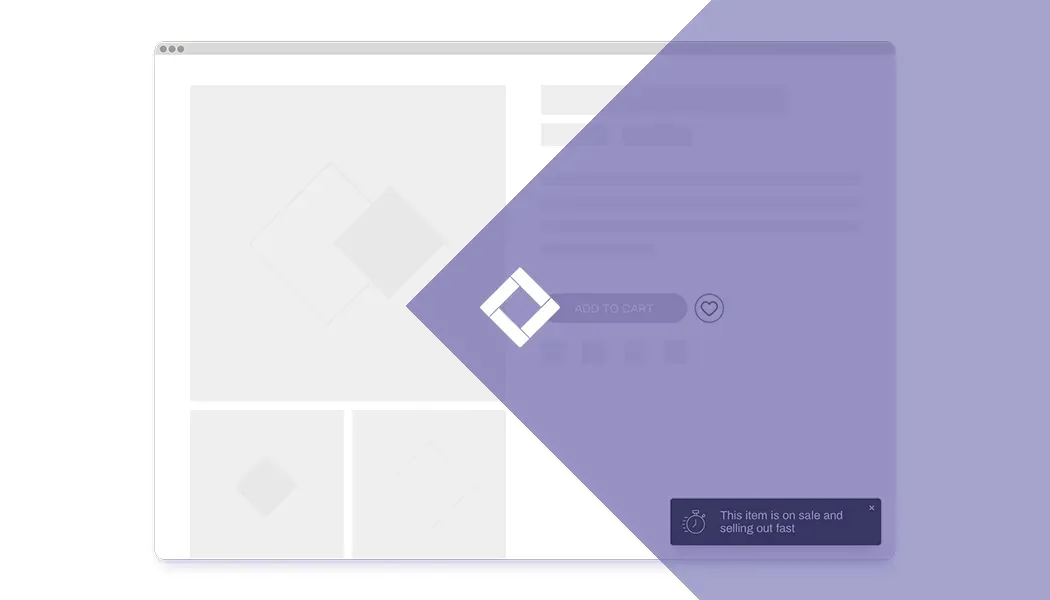
- This item is on sale and selling out fast!
- This deal expires soon!
- This product is in high demand!
- Stock level is low!
- This product is nearly sold out!
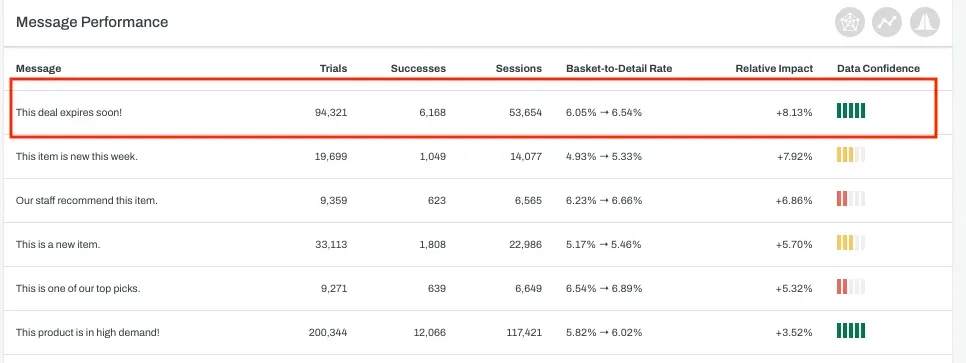
After testing different copy-variants for your notification, you’ll see data like this in your Crobox performance dashboard.
Which means you can track which copy-variants from Scarcity to Social Proof have had any effect on click behavior.
ecommerce notifications on the Checkout page
Another great place for an ecommerce smart notification is at Checkout. But like we’ve seen with Under Armour, there are some best practices that you should always consider:
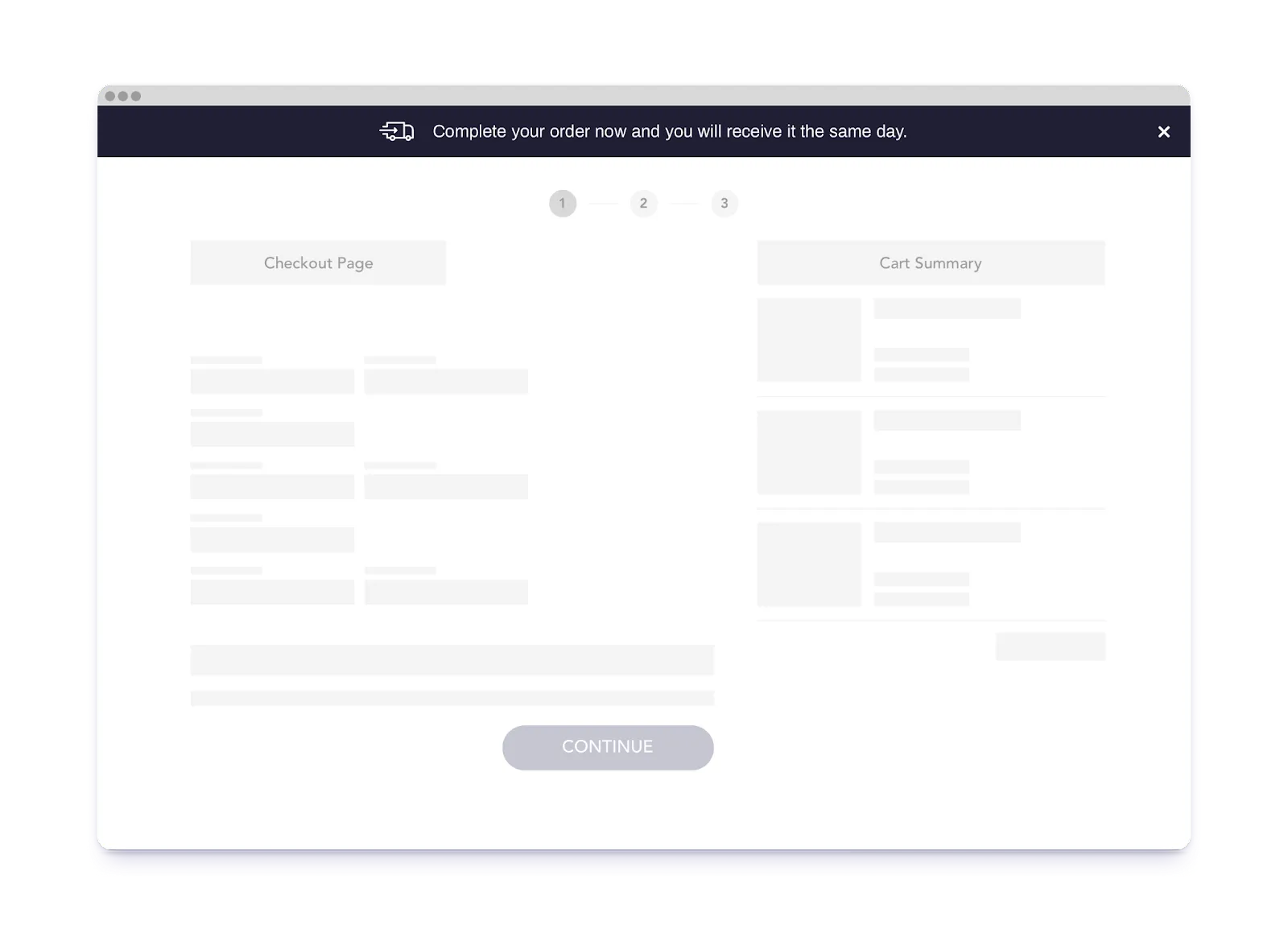
-
Build trust at this stage in the decision-making journey
- Try leveraging notifications that reinstill trust like payment protection or, if you’re a sustainability brand, eco-certified labels.
-
Remove bottlenecks to checkout
- Leverage smart notifications that show how close the customer is to their goal to nudge that behavior, and additional information to facilitate the final purchase decision.
-
Provide additional incentives to avoid abandoned carts
- Give offers to remove hesitation like next-day delivery, free shipping, or any additional brand perks that will prompt behavior to check out.
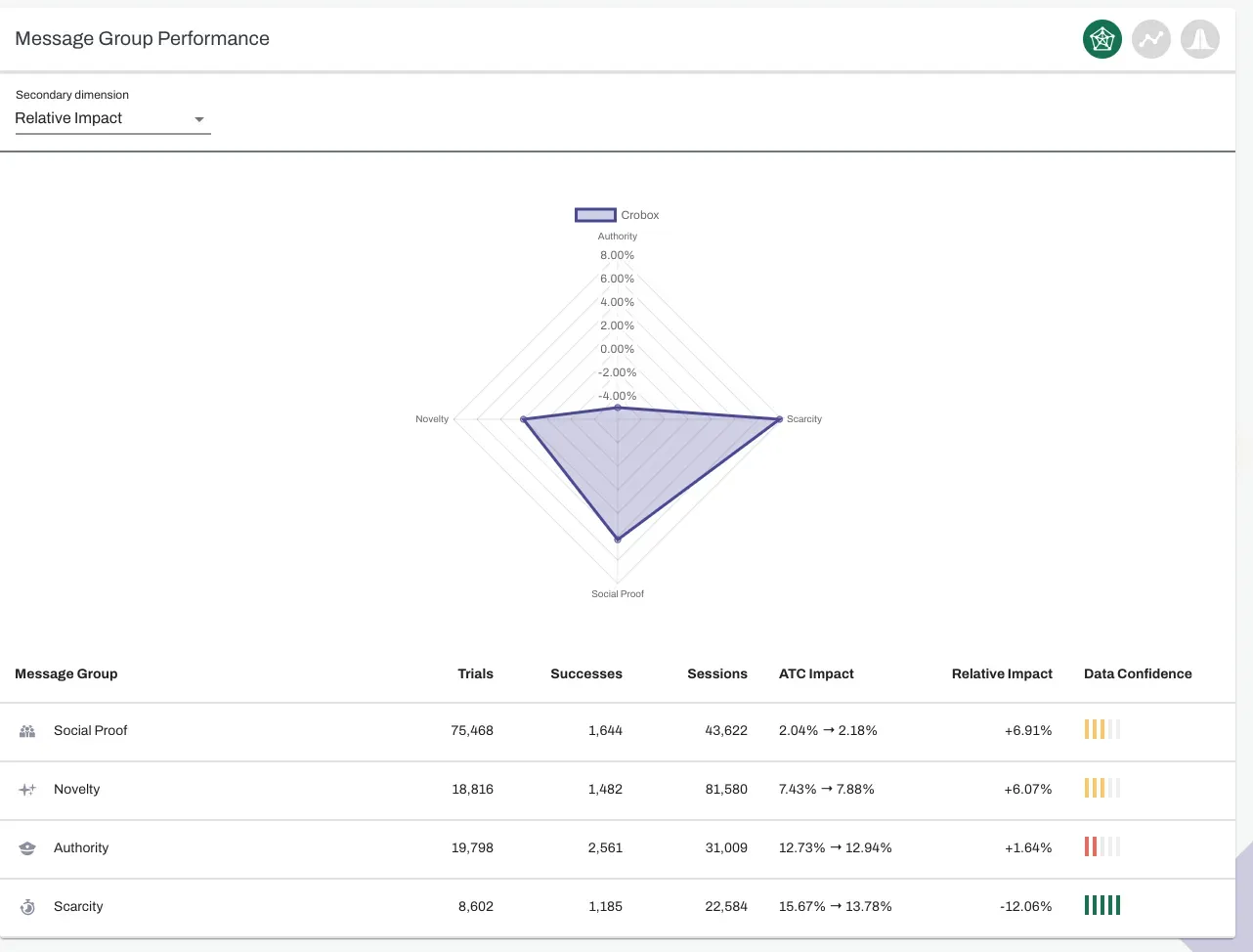
While building trust is important at Checkout, you can also start testing which messages are good at building trust, and which ones cause friction.
Crobox lets you visualize your data in different ways. Meaning, not only can you improve your reporting, but you can start playing around with these messages yourself.
To be really autonomous and dynamic in your on-site communication strategies, it’s not just about creating messages and collecting data. It’s about how you can leverage this data across your channels for the best success.
And making data actionable in this way starts by having a solid reporting engine, with lots of ways to see and share your data.
That’s A Wrap!
ecommerce smart notifications are great at driving behavior. They are a solid part of your Dynamic Messaging toolkit.
But only if you execute them in the way that resonates with your customer’s behavior. That’s why it’s so important to test the timing, placement, and copy of your notifications.
Without running these experiments and personalizing based on the data they generate, it’s very easy for your notifications to fall into the category ‘push’.
Which more and more consumers are starting to reject.
After all, when push comes to smart, we enter the realm of personalization. Start leveraging ecommerce notifications the Crobox way and you can scale your communication autonomously across your webshop.
Curious to see how this works? Check out the Crobox platform. Or continue learning about data and psychology when it comes to nudging behavior in our Nudge Marketing ebook.