
The Product Finder Playbook For Activewear Products
Between 2021 and 2027, the CAGR of the activewear market is expected at 3.7%. Around the world, exercise is up by 88%.
People are taking more active holidays and working out anywhere and at any time.
In response, Activewear brands are ramping up their digital and omnichannel offerings.
Since more people are shopping online than ever before (80% of the population in the US, and 70 million more people in Asia since the pandemic), activewear products online are in high demand.
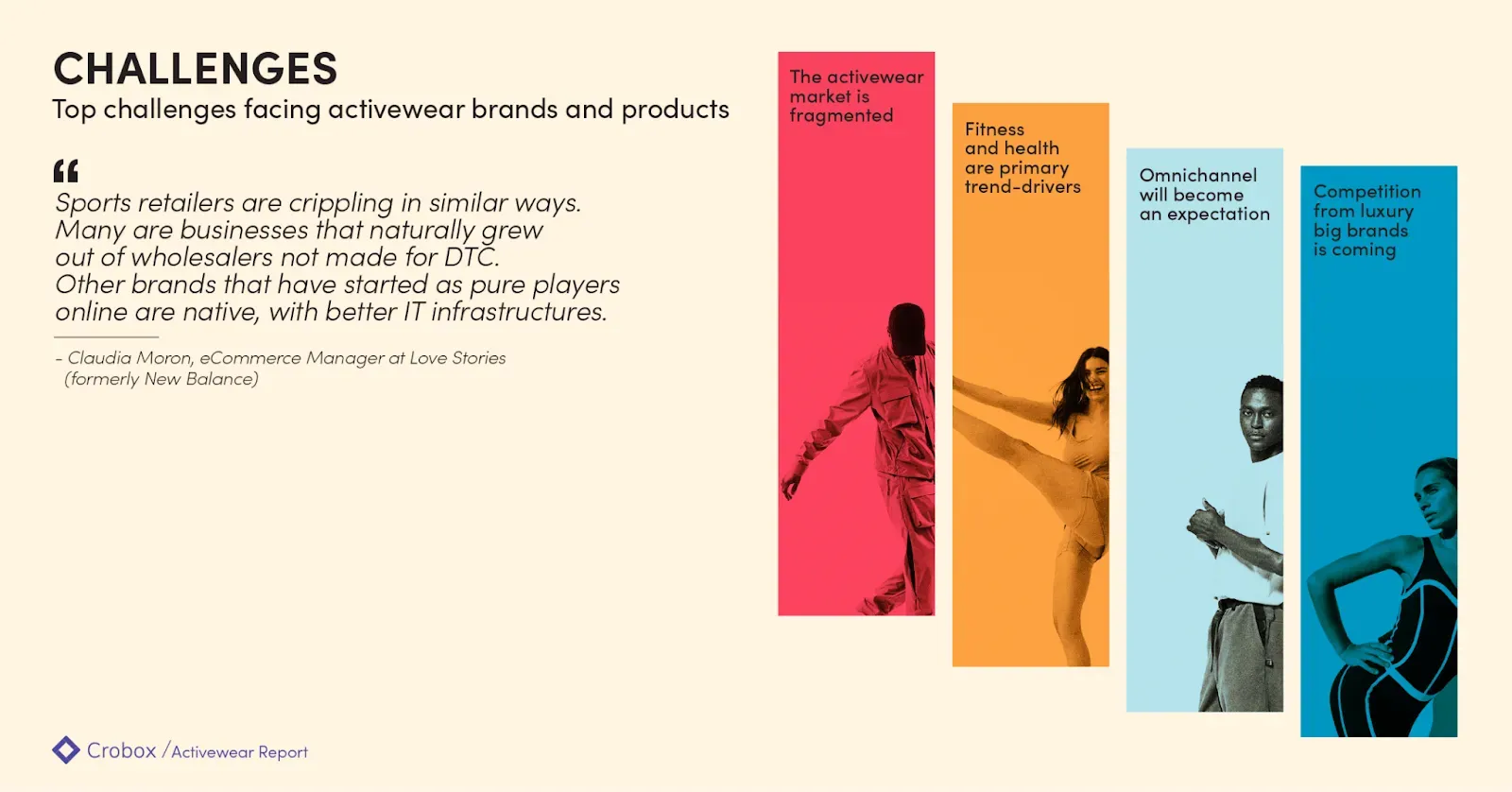
Go to the Activewear Report for a full industry breakdown and market analysis.
Where brands can offer in-store sales assistants to show shoppers the right products for them, online product discovery looks very different.
The challenge for many activewear brands is how to bring in-store guidance and advice into the online environment.
Enter: Product Finders.
These quiz wizards ask questions to the customer to determine their shopping goals. Based on how the customer answers, the webshop can recommend the perfect product.
This brings in-store assistance online, while feeding data back to the retailer that is given freely and within consent by the customer. Hence, staying within data privacy regulations while still personalizing the customer experience (zero-party data).
In this playbook, we take you through Crobox’s Product Finders in three steps:
- Implement
- Design
- Inspire
IMPLEMENT: Building a Product Finder for activewear in 5 easy steps
{% video_player “embed_player” overrideable=False, type=‘hsvideo2’, hide_playlist=True, viral_sharing=False, embed_button=False, autoplay=False, hidden_controls=False, loop=False, muted=False, full_width=False, width=‘1270’, height=‘760’, player_id=‘79197704863’, style=‘’ %}
Top4Sport Shoe Finder: Crobox built Top4Sport’s Shoe Finder to help match shoppers to the right running shoe for them. Our results saw:
- +126% conversion rate
- +27% average order value
- +56% completion rate
Read the full case study here.
“Our clients always want different questions and rules when building their Product Finder. It’s up to us to provide the knowledge and guidance on what makes sense from a behavioral and UX perspective. Together with our clients, we’re able to customize a finder that will lead to the highest conversions.” - Elaine Simpson, Sr. Project Manager at Crobox
Step #1: Choose your questions
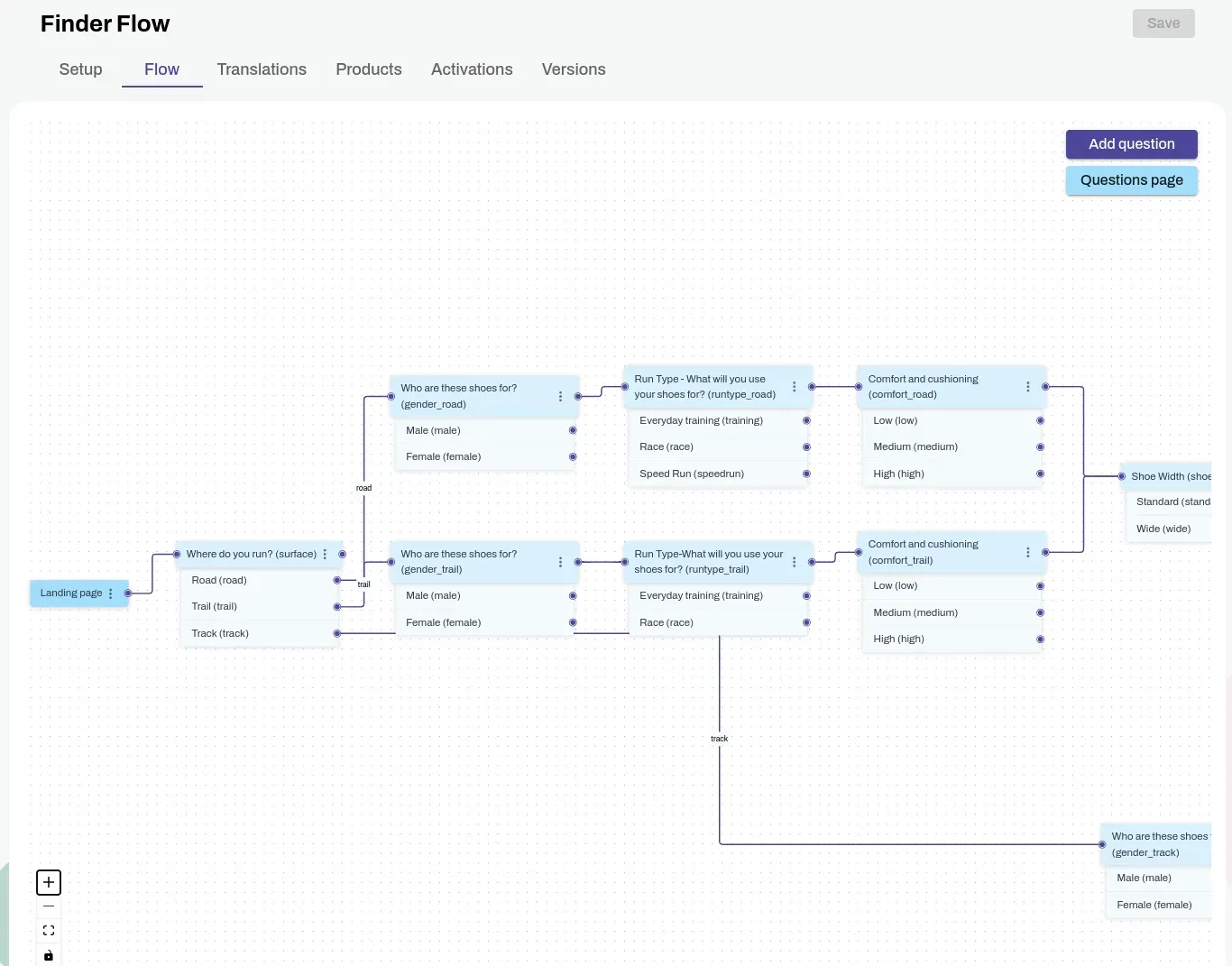
The Finder Flow in the Crobox App lets you visualize how all your questions are connected so you can track the right path for your users.
When choosing your questions, here are a couple of ways to do it:
- Select products. You pick the set of products that you want your customer to see when they complete the Product Finder, and you pick what flows will lead them to which answers. This is great if you have a smaller range of products that you want to highlight in your Product Finder.
- Results based on business rules. Your business rules match the answers to the results. For example, if you have a “Deal Finder”, your results will be matched to sale percentage and availability.
- Change flow based on results. This will change the question options based on how the customer answers. We also call this Dynamic Answers, to ensure the right flow is available to the customer.
Whatever questions you choose, you can start with a conversational flow chart to plot the different paths people can take.
Best practices:
-
Don’t ask too many questions. If a customer is asked too many questions this could cause choice overload. The customer might not understand the meaning of technical questions which could cause frustration.
-
Don’t ask too many technical/specific questions. For example, if your typical customer knows the millimeter thickness of your sweaters, then maybe this is worth asking (‘What mm do you prefer?’). But if they don’t, then it’s important you stick to less specific questions. In other words, ask questions in a way users will understand, e.g., Maximum Warmth/ Average Warmth/ Minimum Warmth instead of 10mm/5mm/2mm). Here, it’s about turning your product attributes into benefits for the customer.
-
Ask ‘information only’ questions…but not too many. You don’t want to turn your product finder into a survey, but sometimes it’s good to know why your customers are looking for that type of product, how they heard about your brand or other important information to help you learn more about your customers (helping merge commerce and content).
“We still haven’t found the right balance of questions – especially because there is no industry standard and our clients have different business goals and customers. The main thing you have to remember is to think like your users, and make sure you’re helping them reach their goals in the best way possible.” - Patrick Oberstadt, Behavioral Designer at Crobox
Step #2: Choose your visuals
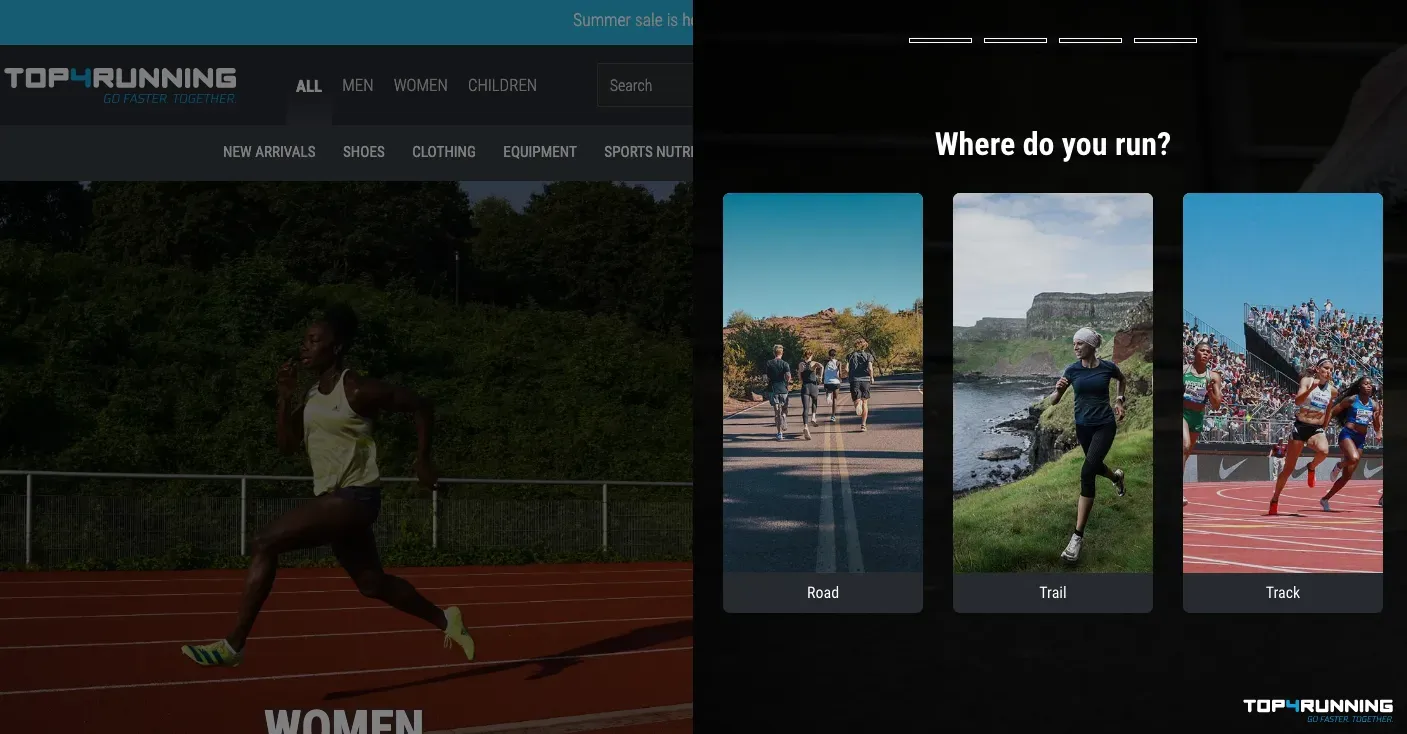
Visuals are a great addition to your product finder. Not only can they decrease text-heavy information (thereby promoting cognitive fluency), but they can show your customers your products, collection, or brand style.
Choosing your visuals goes hand-in-hand with choosing your questions. For example,
- Do you want a visual accompanying your question?
- Do you want a dynamic image for your options?
- Do you want to show product photos, icons, or live-action videos?
Best practices:
-
Test static vs. video images. Whatever style you choose, make sure you test it to see if it resonates with the user. You don’t want to choose a visual that causes too much cognitive overload. At the same time, you don’t want a visual that doesn’t match your text.
-
Include your brand style. Let your brand tone-of-voice and style shine through. But don’t make it too busy, especially if you have a clean website. For athletic footwear, for example, showing movement or the product in use is a great way to encourage behavior.
-
Gestalt Effect. This is the psychological principle that people will recognize things in a pattern or sequence. Make sure your eyeline is correct (e.g, the proximity of images and text together) so that the finder design is both readable and makes cognitive sense.
Step#3: Choose your placement
For Top4Sport, we implemented the Product Finder across multiple pages to ensure maximum visibility. E.g., Category page navigation (above), slide out on the PDP (below).
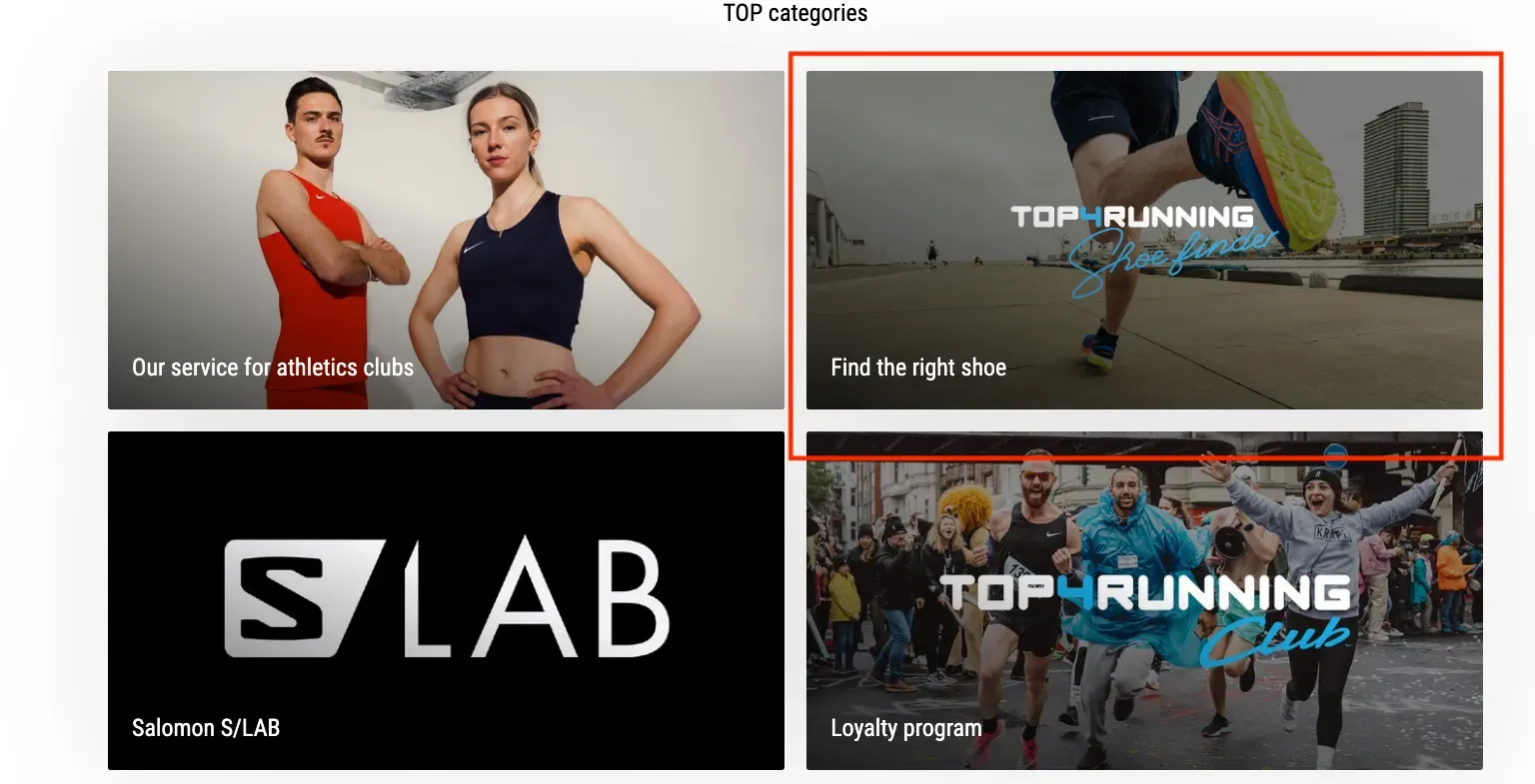
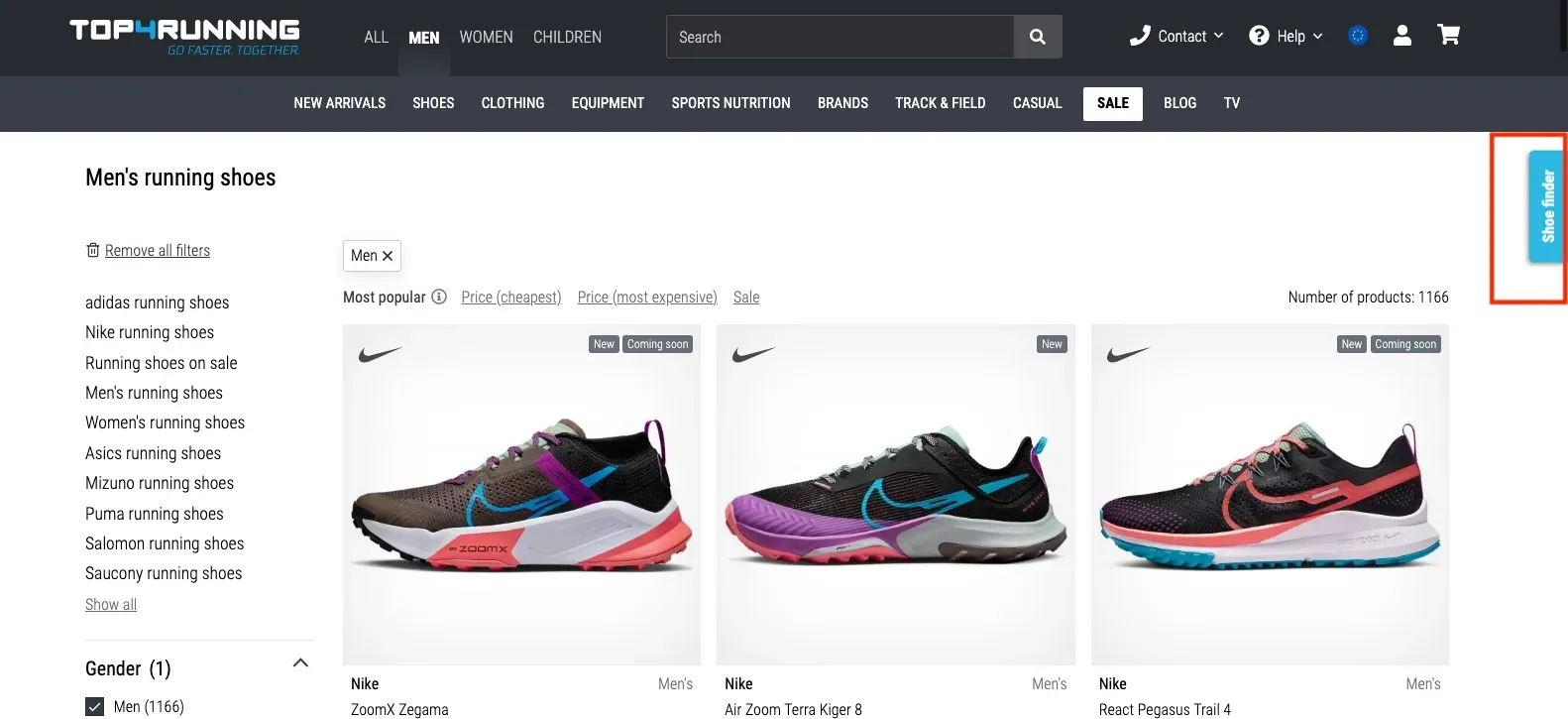
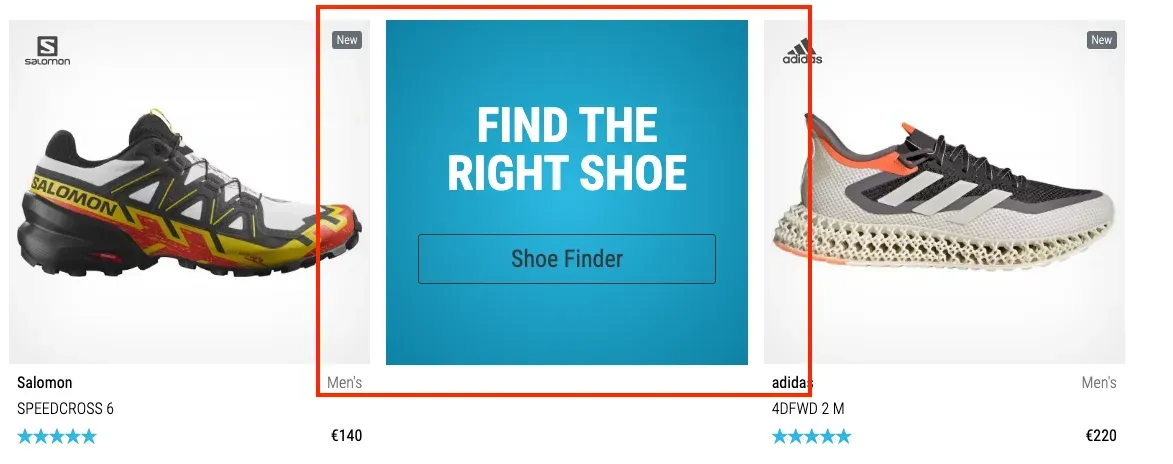
Top4Sport also integrated our Finder on the PDP with Exponea.
Where you place a product finder on your website will depend on what you’re trying to achieve. For example, if you’re pushing a running shoe finder, you may want to show this on multiple pages – but it’s especially important to showcase it on your running shoe category page.
Alternatively, if you’re pushing a deal finder, then this could go straight on your homepage and in the category of products you want to quickly get rid of.
The purchasing behavior behind sneakers is very different from traditional activewear products. It’s important that customers have the option to do a Product Finder (or a personality quiz) in order to match them with the right sneakers for them.
Best practices:
-
Avoid banner blindness. Have you ever had a pop-up appear only to completely ignore it? People who’ve been browsing the internet for their whole lives experience banner blindness – where we don’t see a pop-up or banner because of being exposed to irrelevant information so often. To avoid this, make sure your product finder CTA is clear and visible on your page.
-
Grab attention…but not too much. Another tricky one – of course, your product finder should be visible, without shouting at the shopper. Think of it like a sales shop assistant: You want them to be on-hand if you need advice, but don’t want them hovering over you as you browse the shop.
-
Non-intrusive. You also don’t want a sales assistant to ask you every second if you need help. If you’re going for an interactive overlay, for example, make sure it’s easy to exit out of and doesn’t infringe on the overall browsing experience. That’s why we found that slide-outs work particularly well.
Step #4: Choose your product recommendations
Top4Sport’s final product recommendations show a carousel of ‘Best Choice’ products. Their profiles display their most important attributes to put the right information in front of the user. Clicking on the shoe’s profile brings the user to the shoe’s detail page.
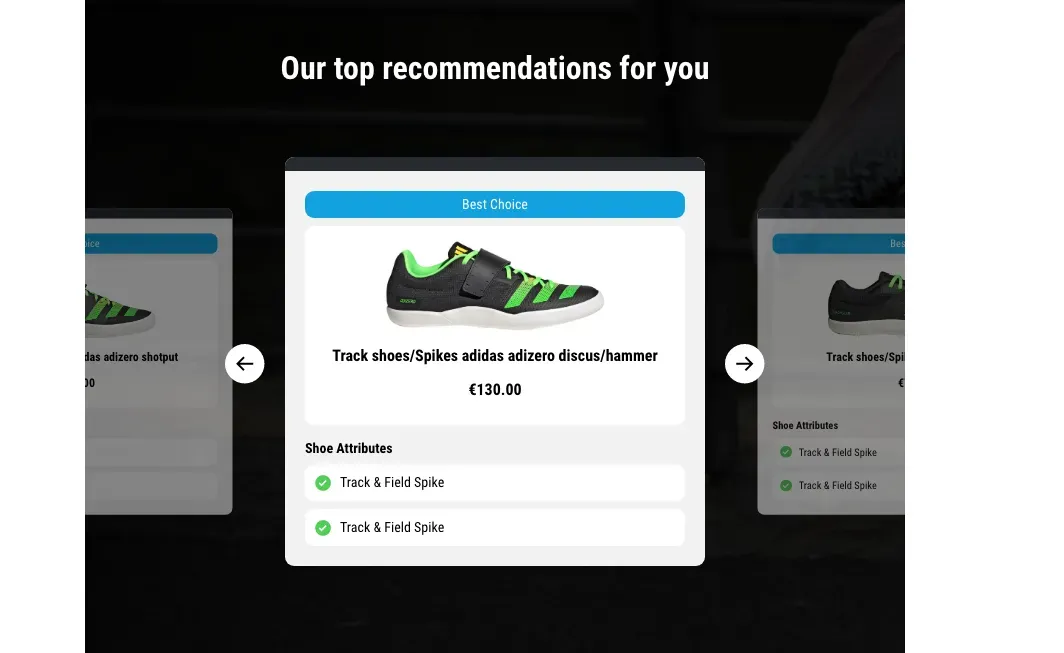
Top4Sport
What products you recommend will depend on how and what the shopper answers as they navigate your product finder. However, there are still some best practices you need to consider as you design your product recommendations.
Best practices:
-
Condense information from the PDP into the result. Your recommendation should provide enough clear information that will show your shopper why the shoe is for them. You could do this by importing the most relevant information into recommendations or giving them a link to the PDP for more.
-
Have a clear call-to-action (CTA). This could either be a link to the PDP, or a direct add-to-cart CTA. Think of how well Amazon’s patented one-click buy works. The more you can streamline the buying journey to checkout, the better your guided selling will be. You could also add an option to research the product better (e.g., to your blog or social media accounts, once again closing the gap between commerce and content).
-
Decide whether you want multi-product or singular product recommendations. Sometimes, a single product recommendation can be the best option for decreasing choice overload. Often, however, customers like to compare and see two to three options for the best product discovery experience. If you only want to show a singular product recommendation, we recommend having a recommender engine for up or cross-selling.
-
Recommend products based on their benefits. Your product finder will drill down on your customer’s preferences, from attributes to benefits. Ultimately, however, you should recommend a product by saying why its attributes will benefit the life of your shopper.
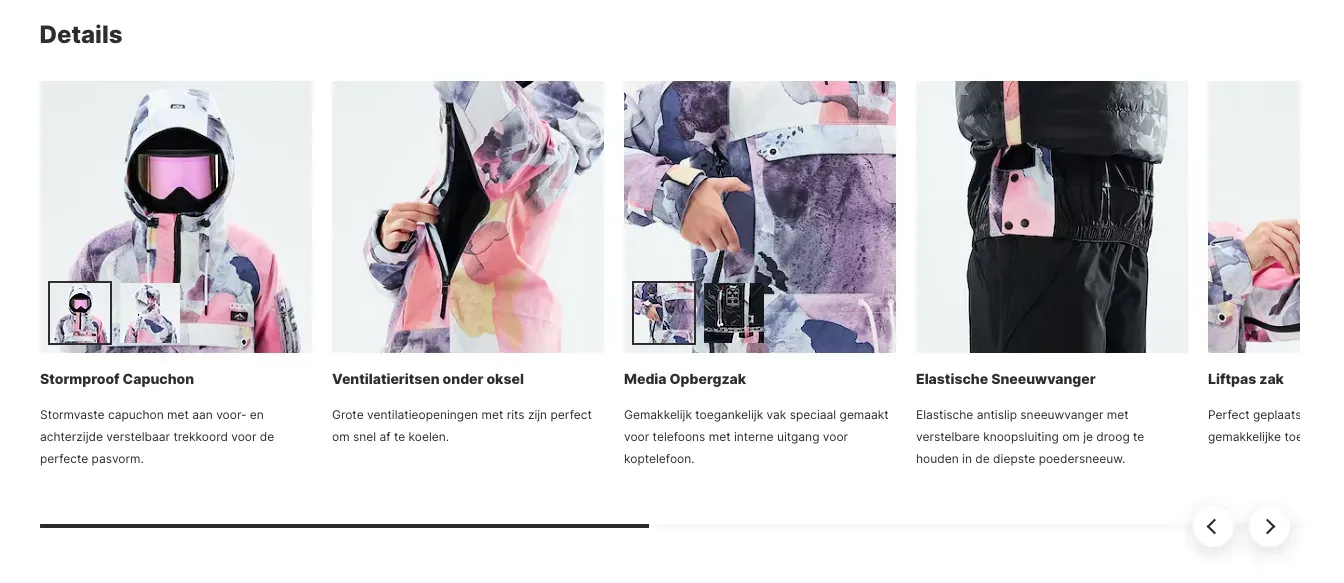
Dopesnow communicates their ‘features’ as ‘details’ to stylize the attributes of their ski jackets.
“Often our clients don’t give us products they want to recommend. That’s fine – we can easily go and find this in their feed. For example, if we’re building a headphone product finder. Every headphone has specific attributes, which we can find in their product feed to see what headphones match what’s been selected.” - Patrick Oberstadt, Behavioral Designer at Crobox
Step #5: Analyze your data
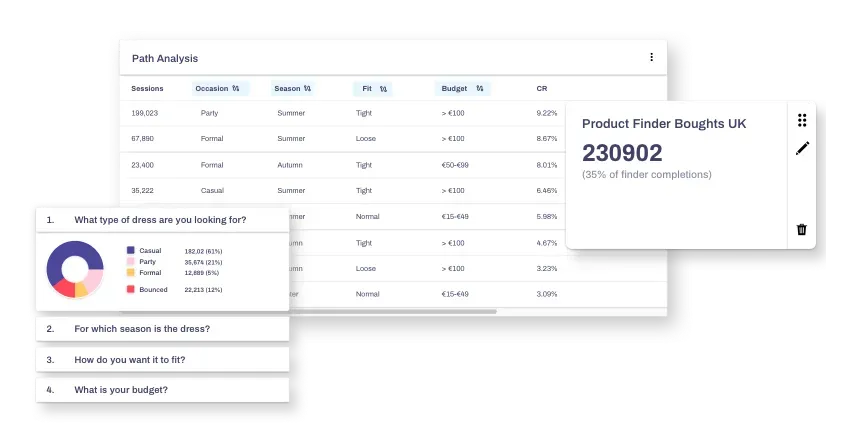
It’s not enough to place a Product Finder on your website and let your customers do all the work. In fact, the more your shoppers interact with your webshop, the more click-stream and behavioral data you can gather.
Crobox lets you collect and track data in a quick and reliable fashion, so you can anticipate the customer and market better.
Best practices:
-
Have a centralized data dashboard. Make sure your product finder data is in one place. This means having a dashboard that shows everything from click behavior to bought counts. That way, you can analyze data points in correlation to each other.
-
Make your data digestible. Sharing data across departments can be tricky, especially if you have people on your team who aren’t well-versed in statistics or numbers. So make your product finder data easy to access and super visual. The more you can leverage graphs and interactivity in your dashboard, the more you can easily –
-
Share your data across departments. Your CRO team may need to understand the data in terms of conversions, but your marketing team will need to unpack your data in terms of consumer behavior. Make sure you have an export function to share your data across departments, so everyone can track your customer’s behavior.
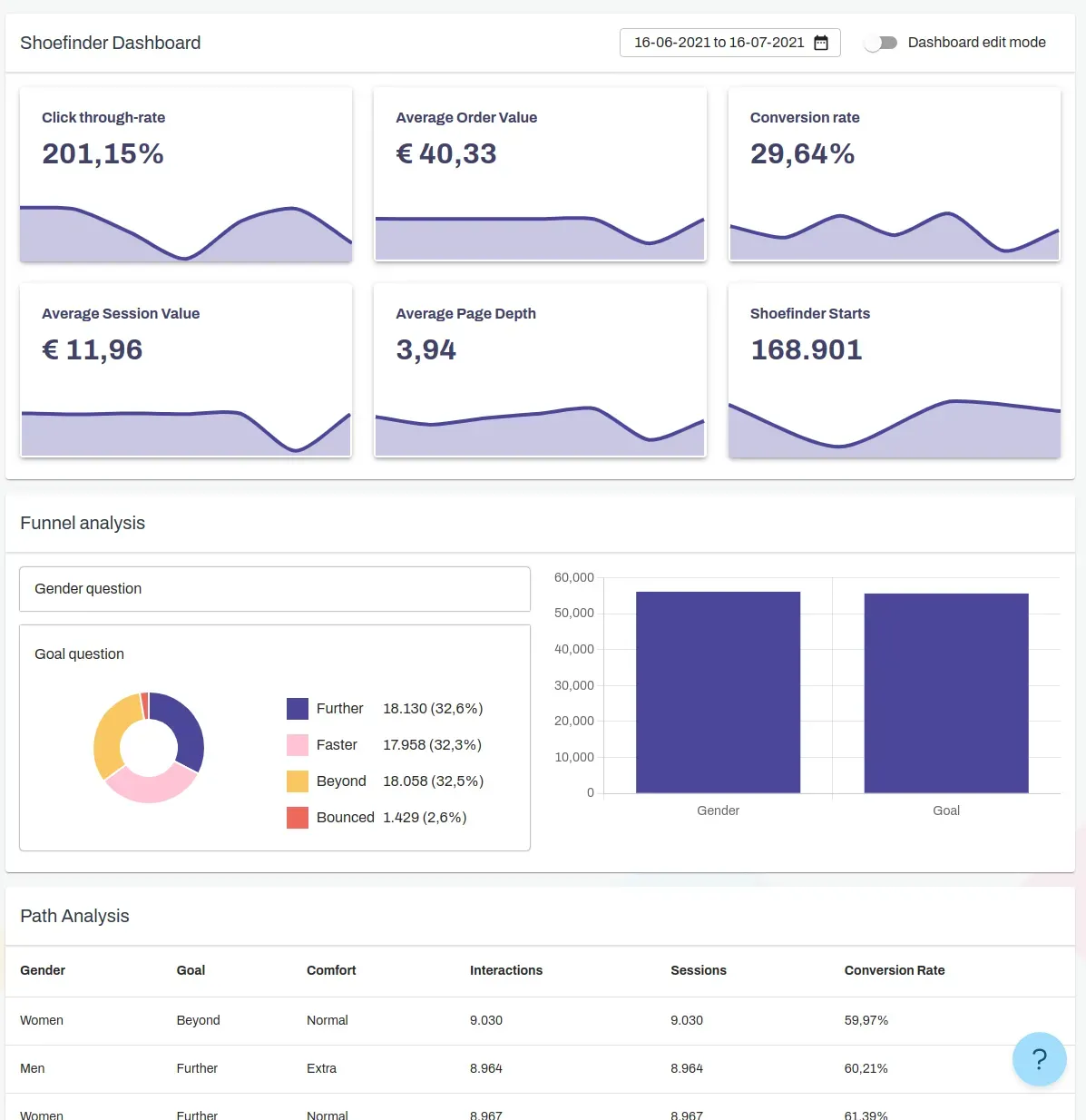
Crobox offers Product Finder results and analytics to visualize your data in one centralized place.
Crobox’s dashboard is both customizable and shareable, so you can control what data you want to visualize to be able to leverage it across departments. Plus, with the help of our in-house behavioral designers, you can take your product finder one step further with psychological insights.
That being said, let’s take a look at some psychological marketing to really build out your product finders in the most behavior-driving way.
DESIGN: Designing a Product Finder by applying 5 behavioral psychology tips
Tip #1: Be a friend to your shoppers
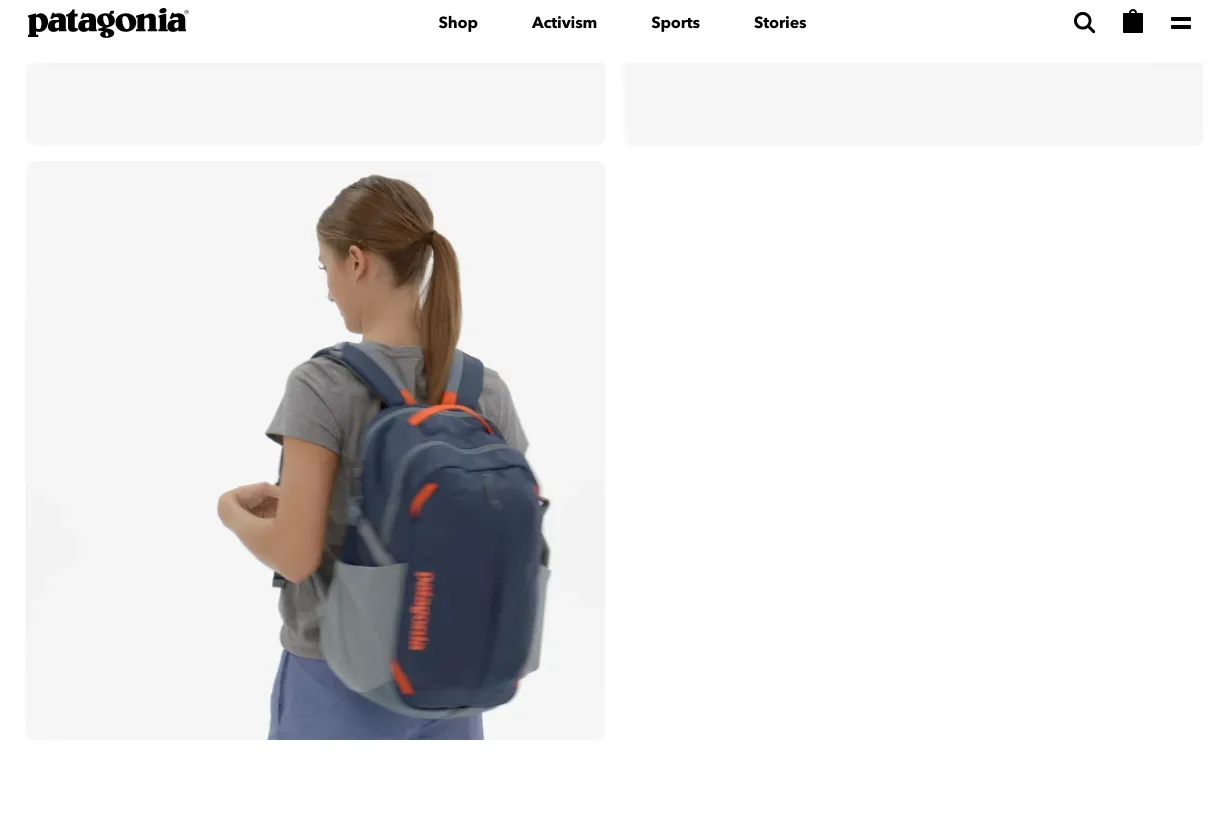
Patagonia’s product videos show the product in use.
Put yourself in your customer’s shoes. If you were looking for a product, how would you go about it?
Be the brand that your customers come to for advice, much like they’d ask a friend. Provide:
- Real-life scenarios (e.g., the option to skip a question or choose “I don’t know”)
- Ask questions with genuine interest (it’s not about asking “what do you usually buy?” but “what kind of things do you like?”)
Tip #2: Identify your shopper’s needs from their mindsets
Your customers have varying shopping mindsets depending on their situation, context, and time of purchase. These mindsets are called shopping states (or, needs) and can be used to characterize your shopper’s individual experiences.
For example, a hedonic shopping state is directed towards satisfying a positive emotional need, like pleasure, joy, or fun (e.g., shopping for sneakers).
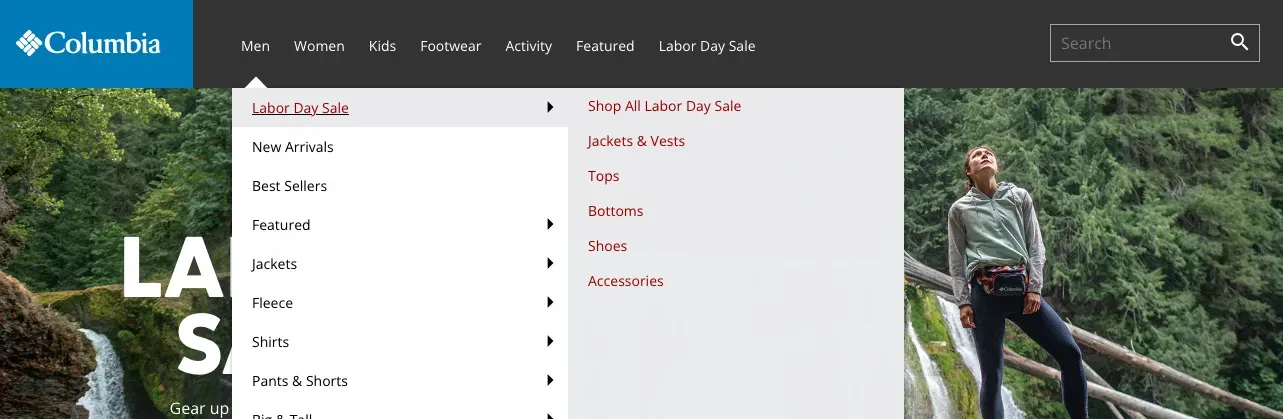
Columbia Sportswear optimizes their taxonomy for US shoppers with a Labor Day category.
Utilitarian shopping, on the other hand, is directed at satisfying a functional or economic need (e.g., a fishing rod for fishing).
Learning to uncover what shopping states your product finder caters to will help you optimize the guided selling experience. These are the different factors that influence each shopping state:
- The product the customer is looking for
- The amount of time they have to complete the purchase
- Who they’re buying the product for
- Their budget
Understanding these shopping states will help you design your product finders in the best way. Plus, it’s a good step towards customer segmentation – you can even test how different shopping states navigate your finder!
Tip #3: Leverage Anchoring to prime behavior
Anchoring is a cognitive bias where we rely on the first piece of information given about a topic, influencing the second piece of information we see.
For example, in a 1997 study by Strack and Mussweiler, they asked participants if the Brandenburg gate was taller or shorter than 150m (150m is the anchor).
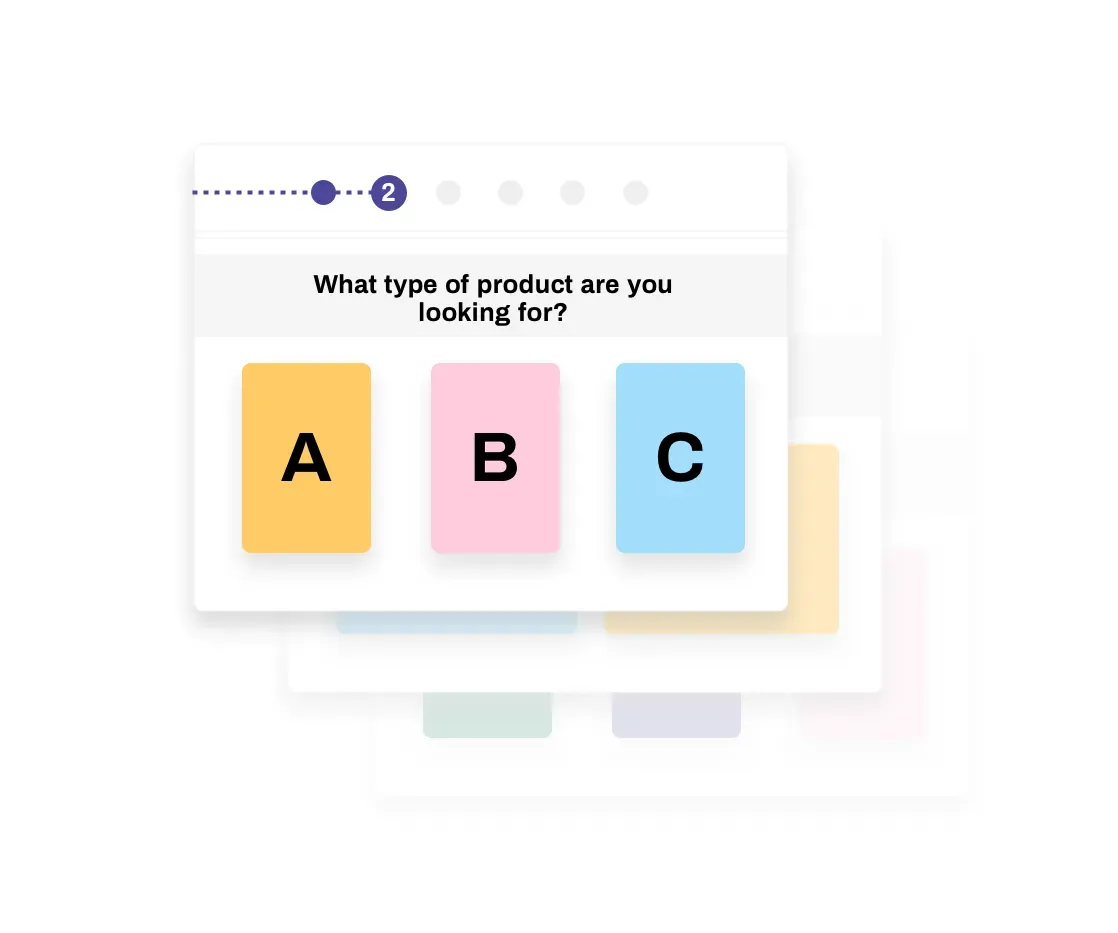
More people guessed closer to 150m if first given the anchor. Without it, people’s guesses varied. The Brandenburg Gate is about 26m tall. In other words, anchoring is a point of reference.
To leverage this in your product finders, you can:
- Leverage price anchoring in your result: Cross out the previous price to show the new price (for discounted products). This will prime purchase behavior towards the PDP.
- Leverage the Decoy Effect: This is another kind of anchoring because it uses one point of reference to compare to another. For example, if you’re selling skiing sunglasses, you could show the options in your finder: What protection do you want?
- +UV Low protection
- ++UV Medium protection
- +++UV High protection
This anchors the middle option as the most desirable (which could be one of your higher-margin products).
There’s a lot you can do just by positioning your answers in a particular way. Consult your behavioral designers for more tips on how to position in the most UX-friendly way.
Tip #4: Bring the human back into your loading screen
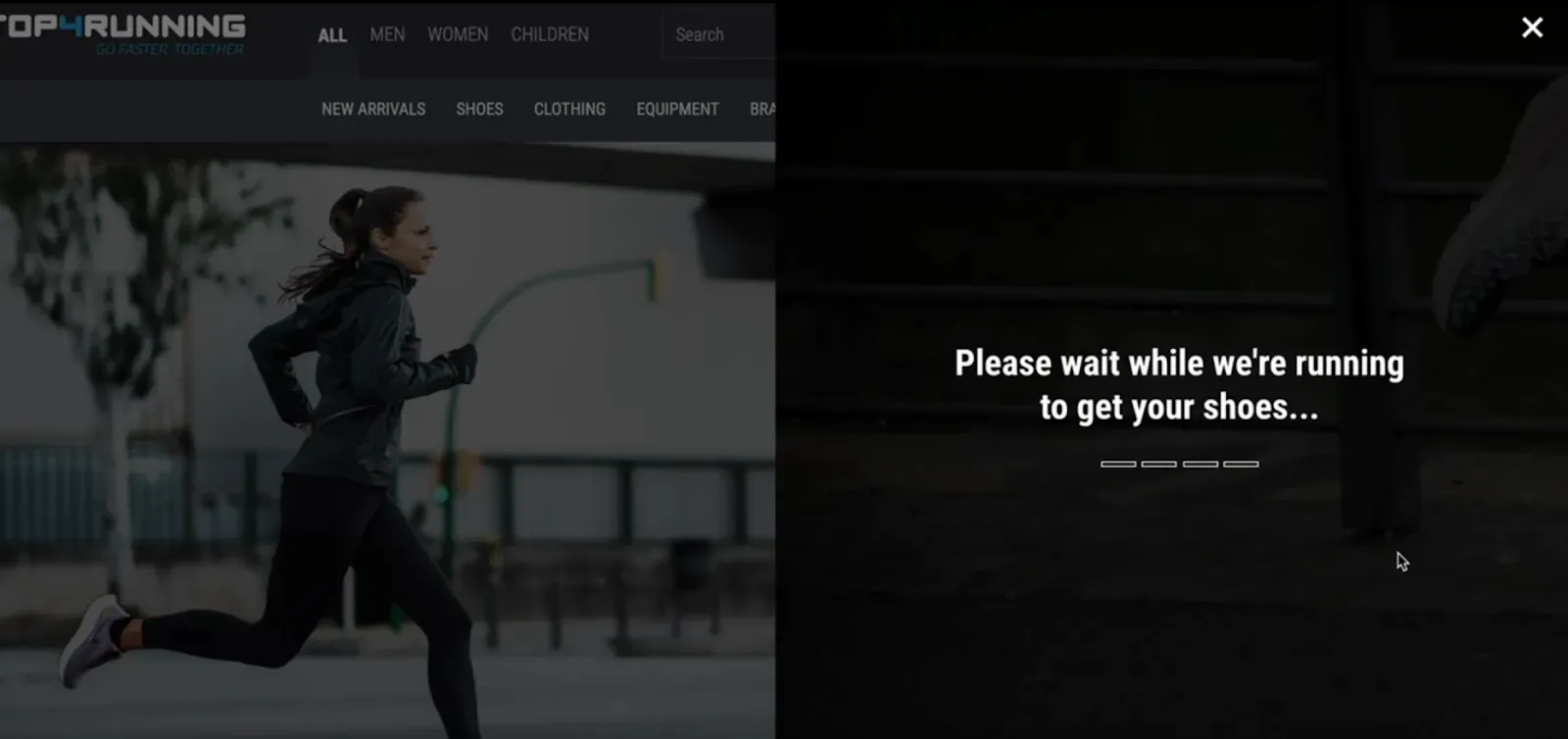
It doesn’t really take time for servers to find the perfect product after someone completes your product finder.
But in-stores, a sales clerk will always go check in the back for you, or spend time looking for the perfect match. You can emulate this in your product finder with a loading screen.
This brings the human back online.
Plus, it creates an imagined sense of effort. Which, if you can show this as a brand, your customers will be willing to reciprocate. It brings another dimension to the online experience – one that is human and conversational but still guided.
Tip #5: Always include how far in the journey they’ve come
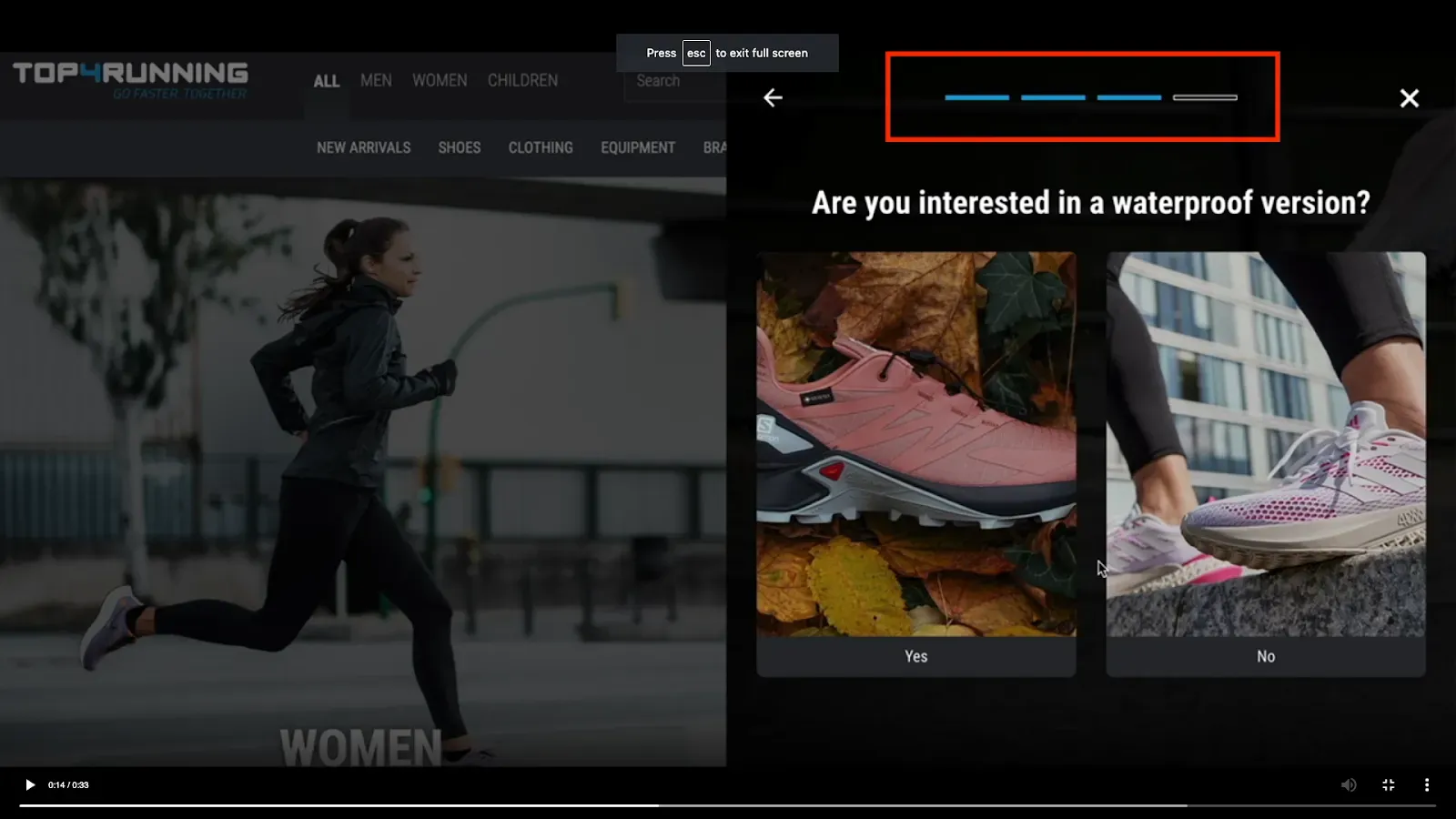
Remember the Goal Gradient Effect?
If your customer can see how far they have left to complete their goal, they will be more inclined to continue.
We don’t see this in many product finders, but it’s a quick psychological win that will drive behavior and completion rates.
INSPIRE: 4 Product Finder examples for Activewear
1. ASICS Running Shoe Finder
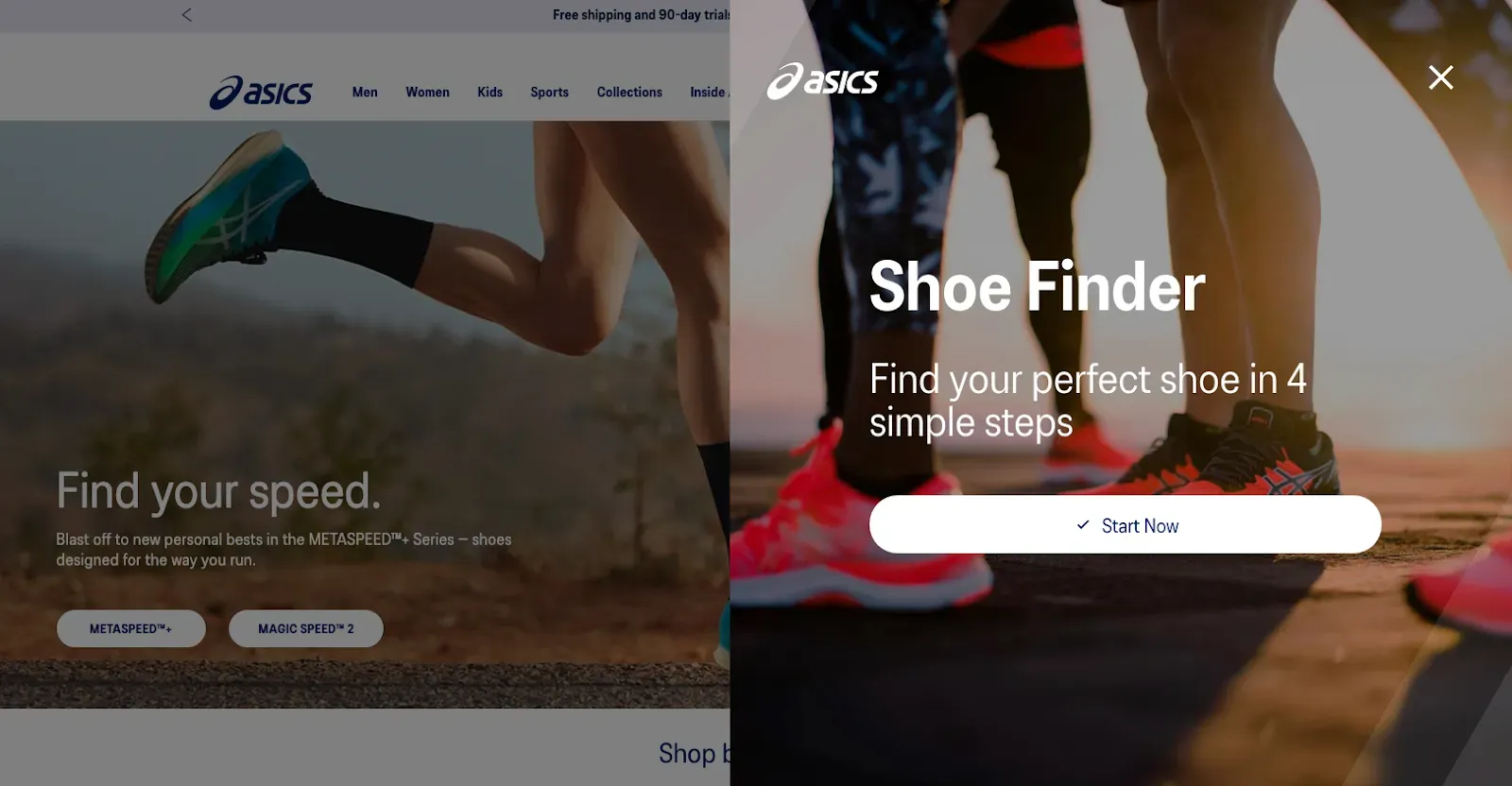
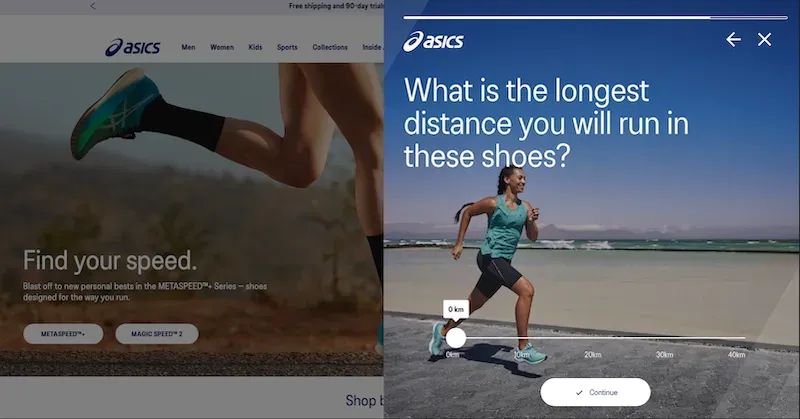
To help bring their in-store sales assistant online, we built ASICS’ Running Shoe Finder. The Finder determines the running goals of the customer to recommend them the perfect product.
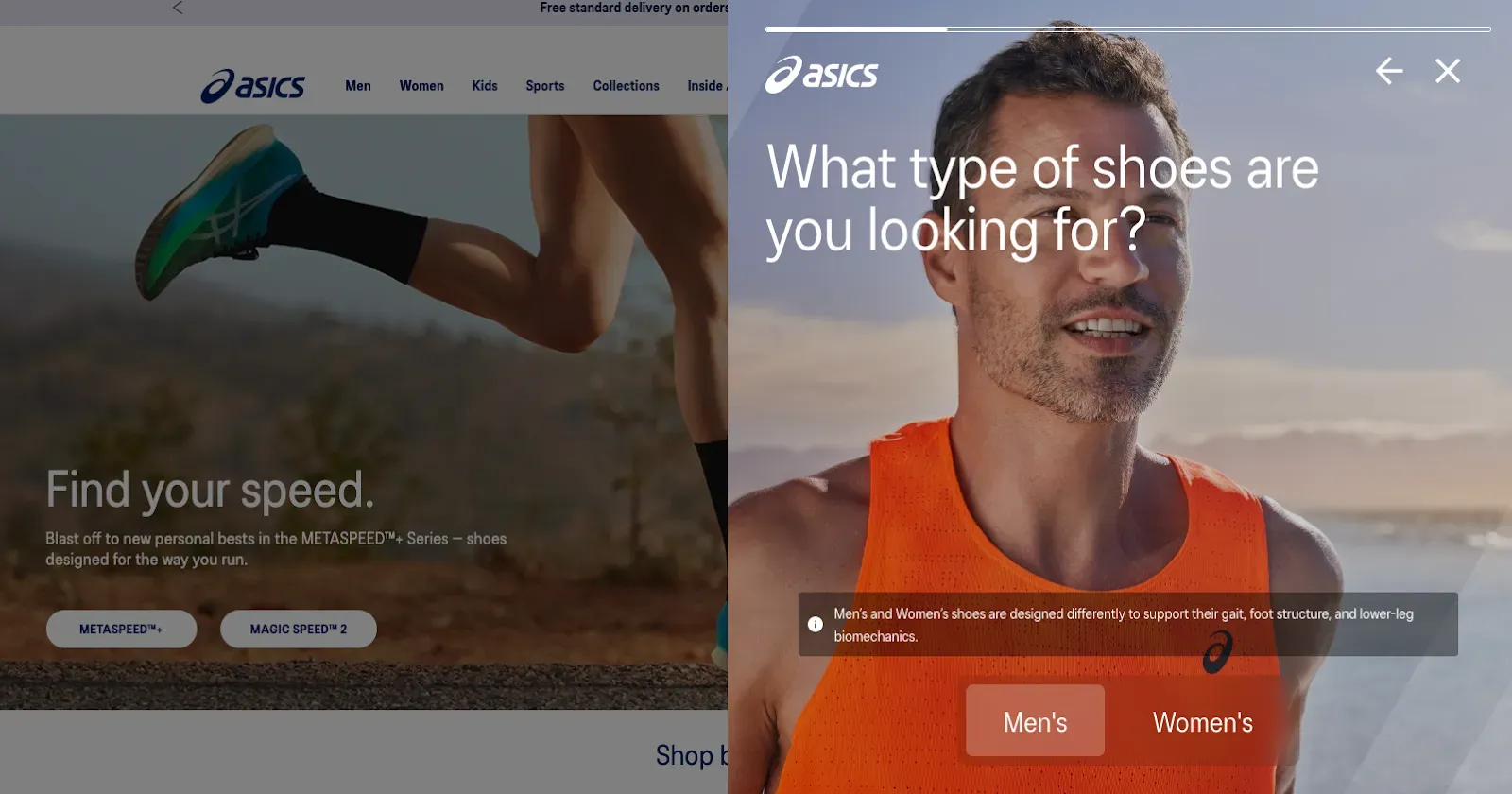
This Finder has been optimzied by leveraging usability testing from the company, Braingineers. By carrying out neuro-usability experiments to test emotions, ASICS was able to see where people experience friction throughout the Finder flow.
By answering questions on distance, pronation, and terrain, ASICS can also see how people are using their running shoe products.
This data will facilitate their promotional strategies, but also turn product attributes into benefits for the shopper.
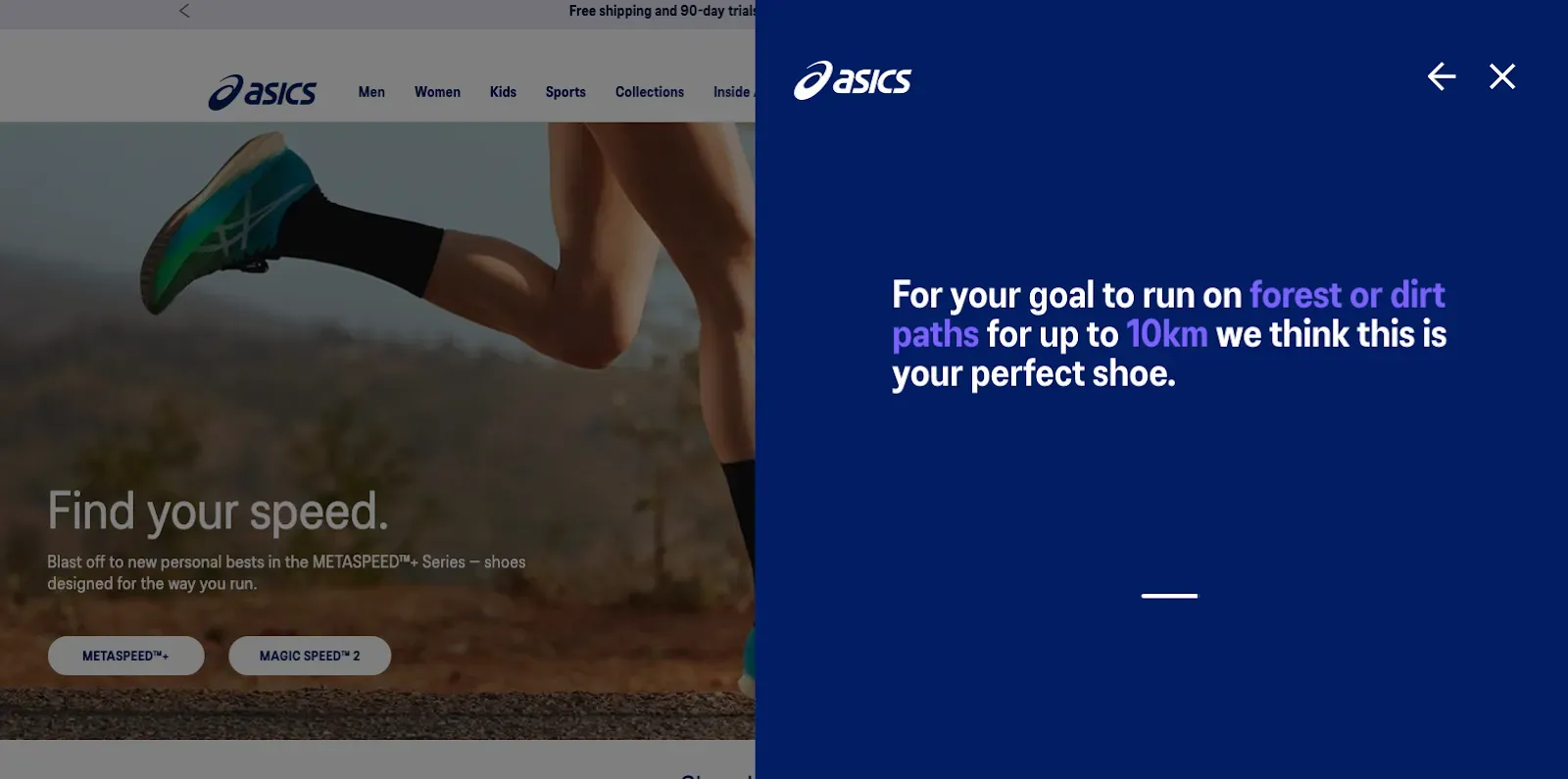
The final recommendation is thus hyper-optimized to the individual.
Since ASICS has one of the most technical running shoes on the market, a Product Finder lets them educate their audience about the superiority of their shoe.
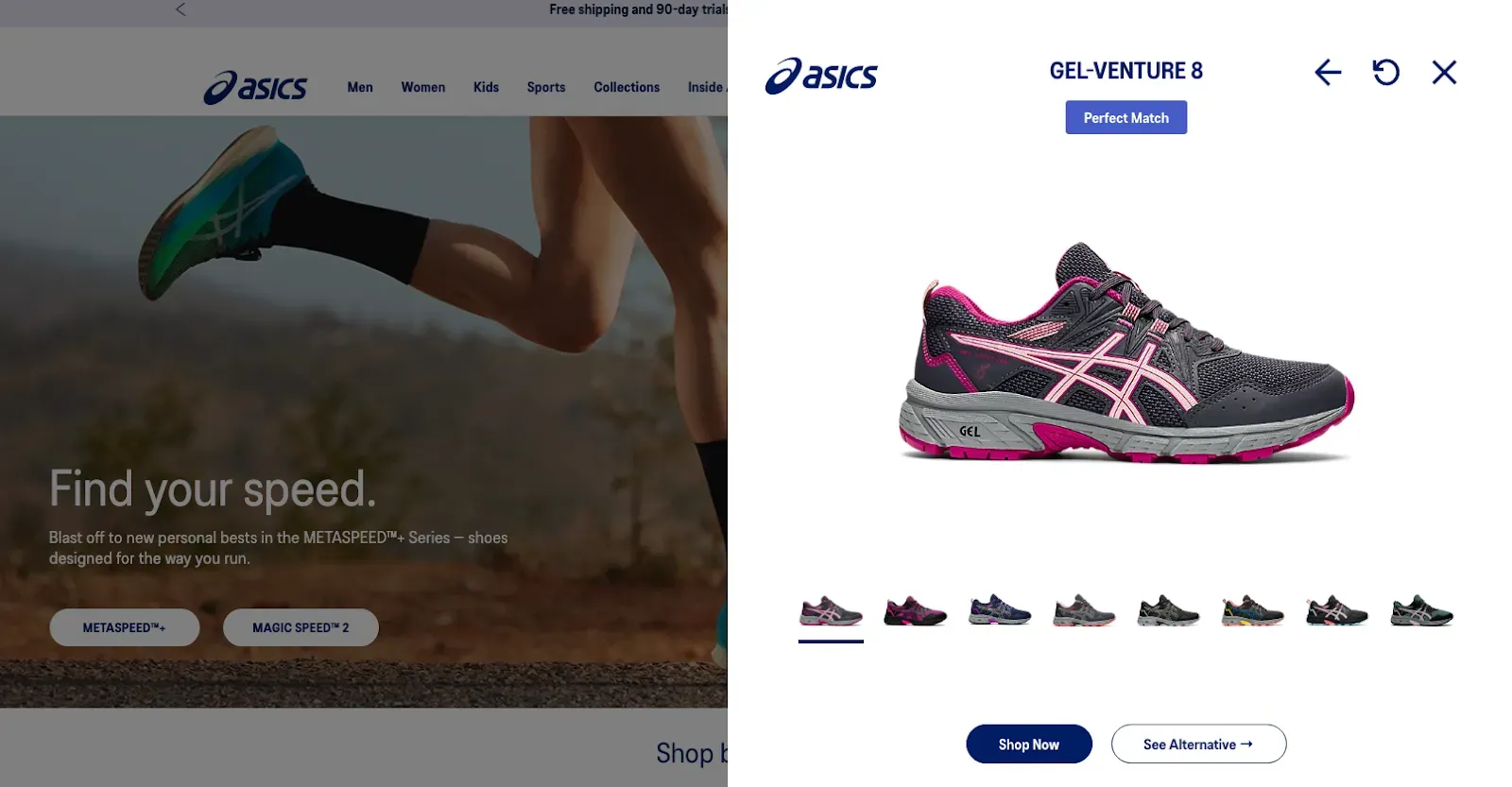
For shoppers, they receive a recommendation that is in line with their needs and goals, in order to avoid running injuries, run in the way they want, and view alternative choices to facilitate their decision-making.
ASICS Running Shoe Finder is, for both customer and retailer, a win-win.
2. Padel Finder HEAD
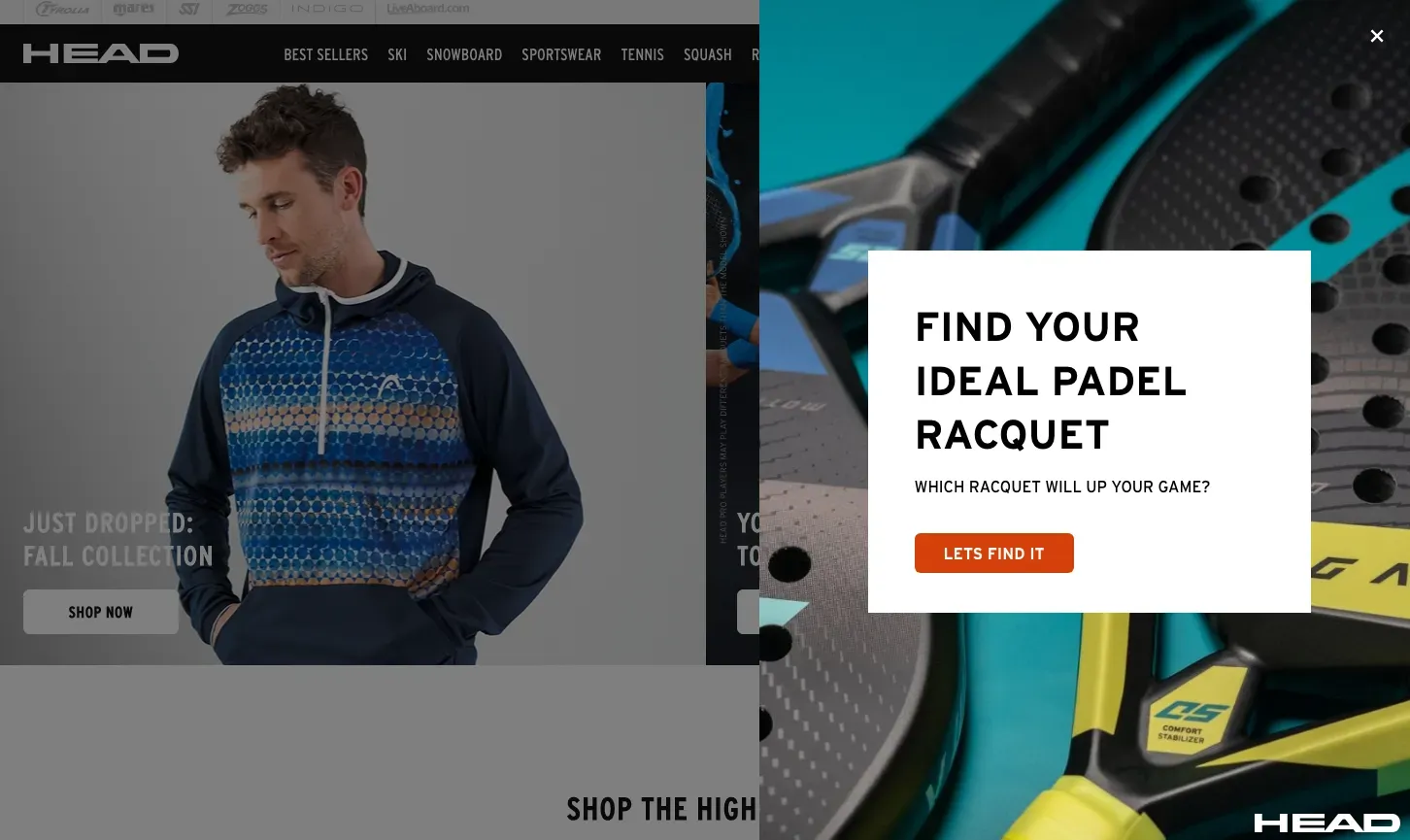
HEAD’s Padel Finder matches customers to a padel. Since padel racquets are quite a specific product for consumers with a specific goal, we tailored the questions as such.
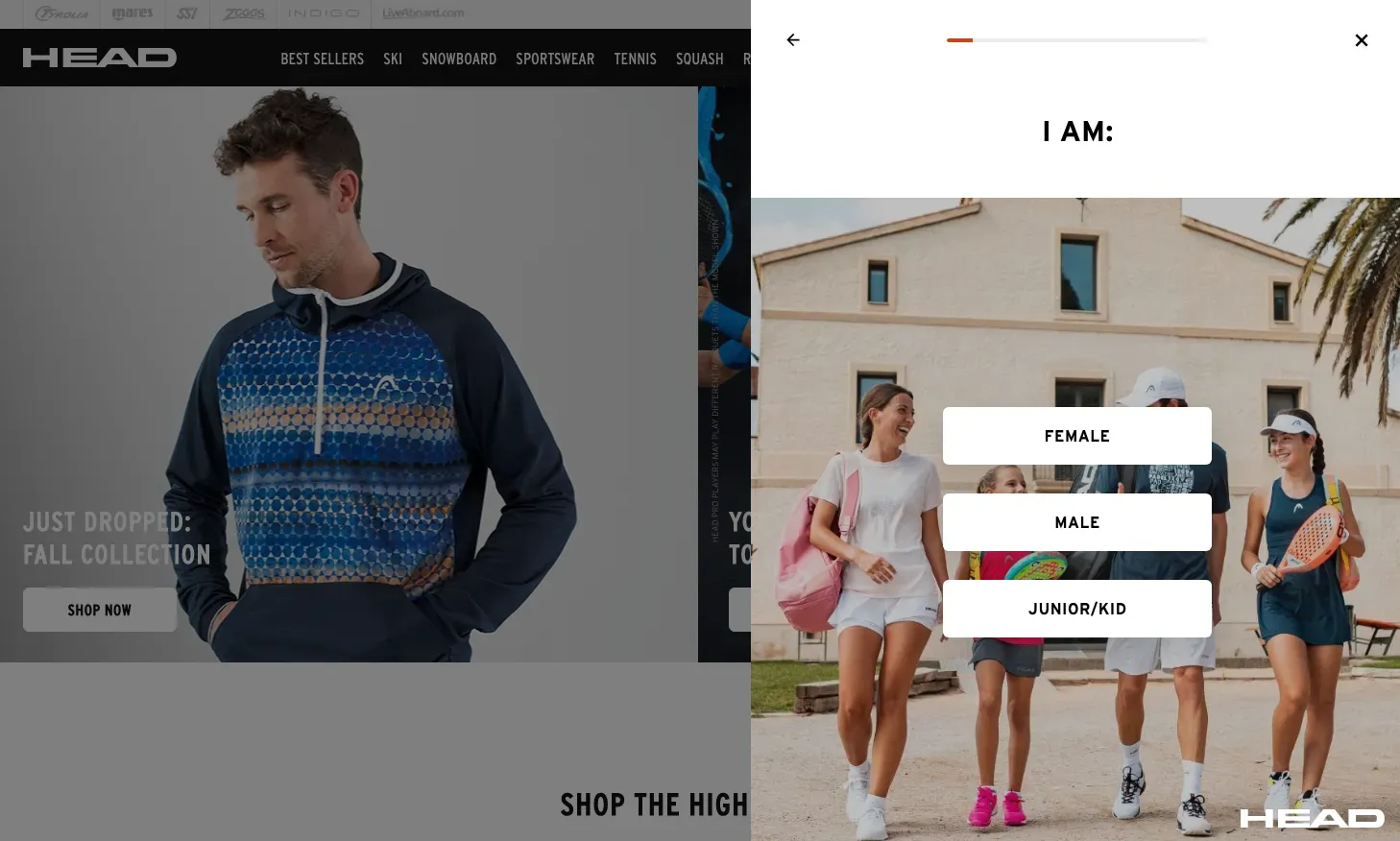
Because, despite this product having a specific function, many padel players will struggle to find the right racquet for them.
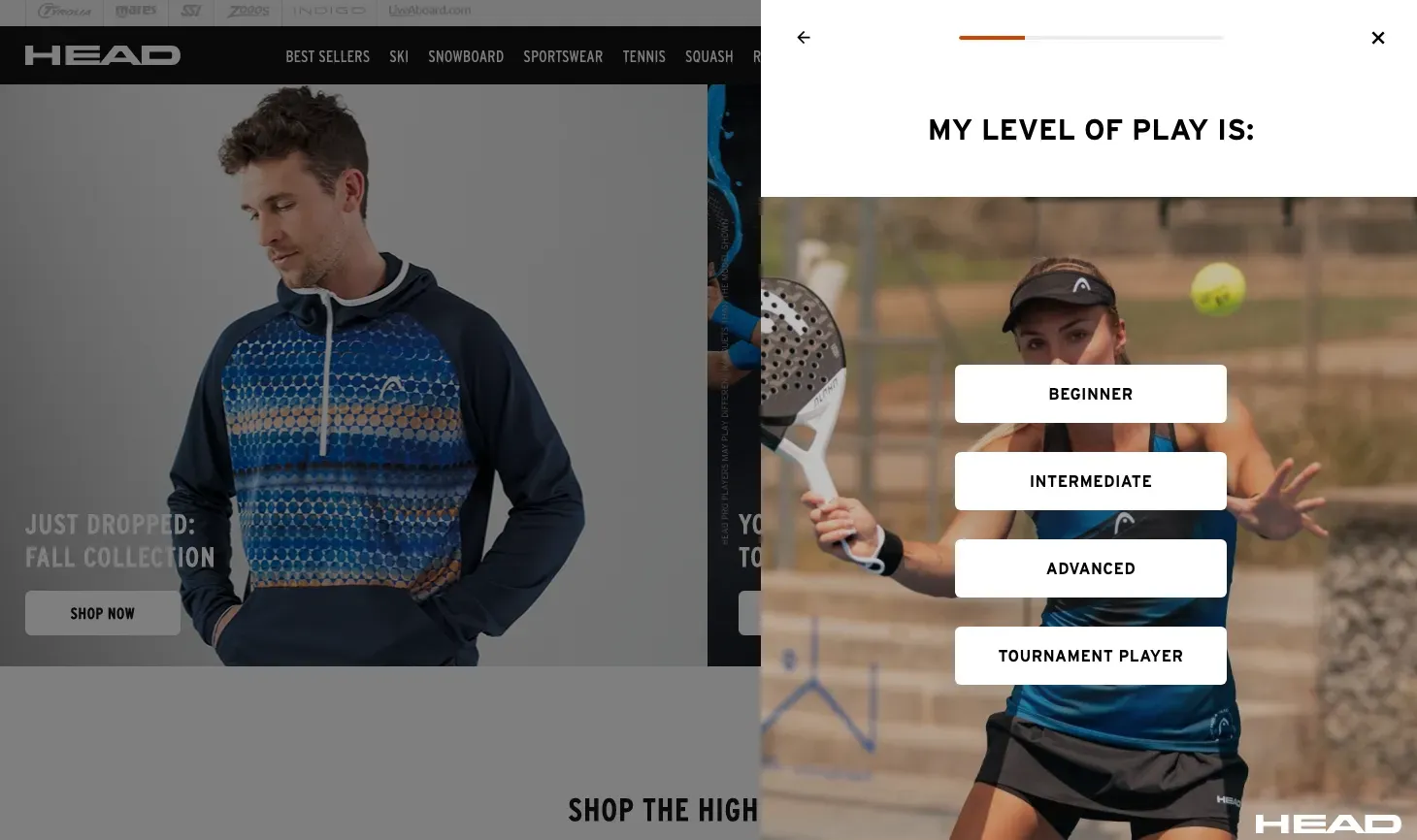
The questions also collect valuable information about HEAD shoppers. By answering what level of play, HEAD can start to segment their Padel playing audience based on if they are beginners, intermediate, advanced, etc.
For beginners, for example, they can send relevant content that gives them tips to getting started. Intermediate players can get education about the upkeep of the racquet. And tournament players could have competition insights in their locations.
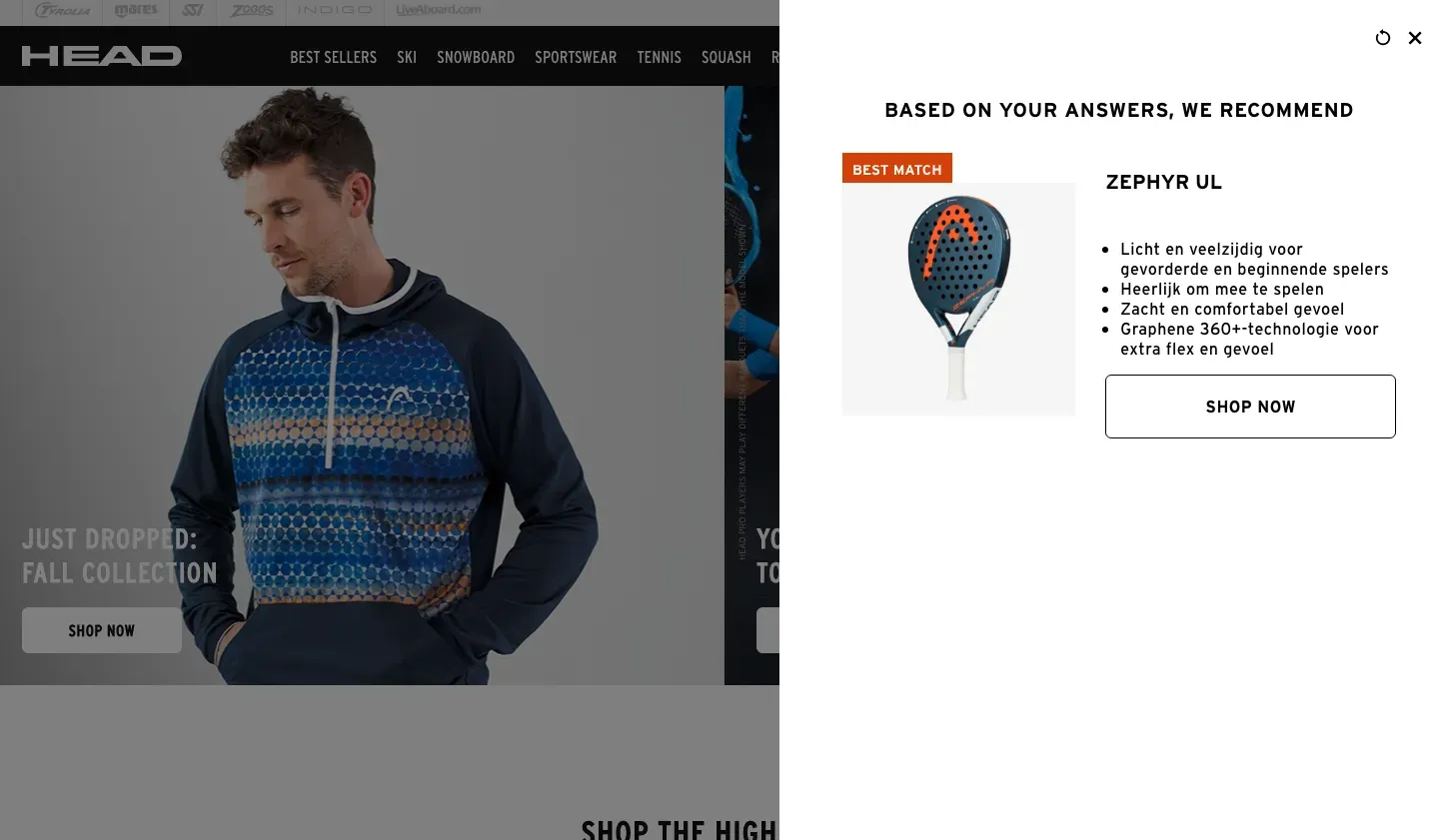
There are lots of opportunities to reuse data from the padel finder, especially when it comes to educating the customer further.
With such a niche sport and small product assortment, educational follow-ups are a great way to keep the customer engaged.
3. Haglofs Jacket Finder
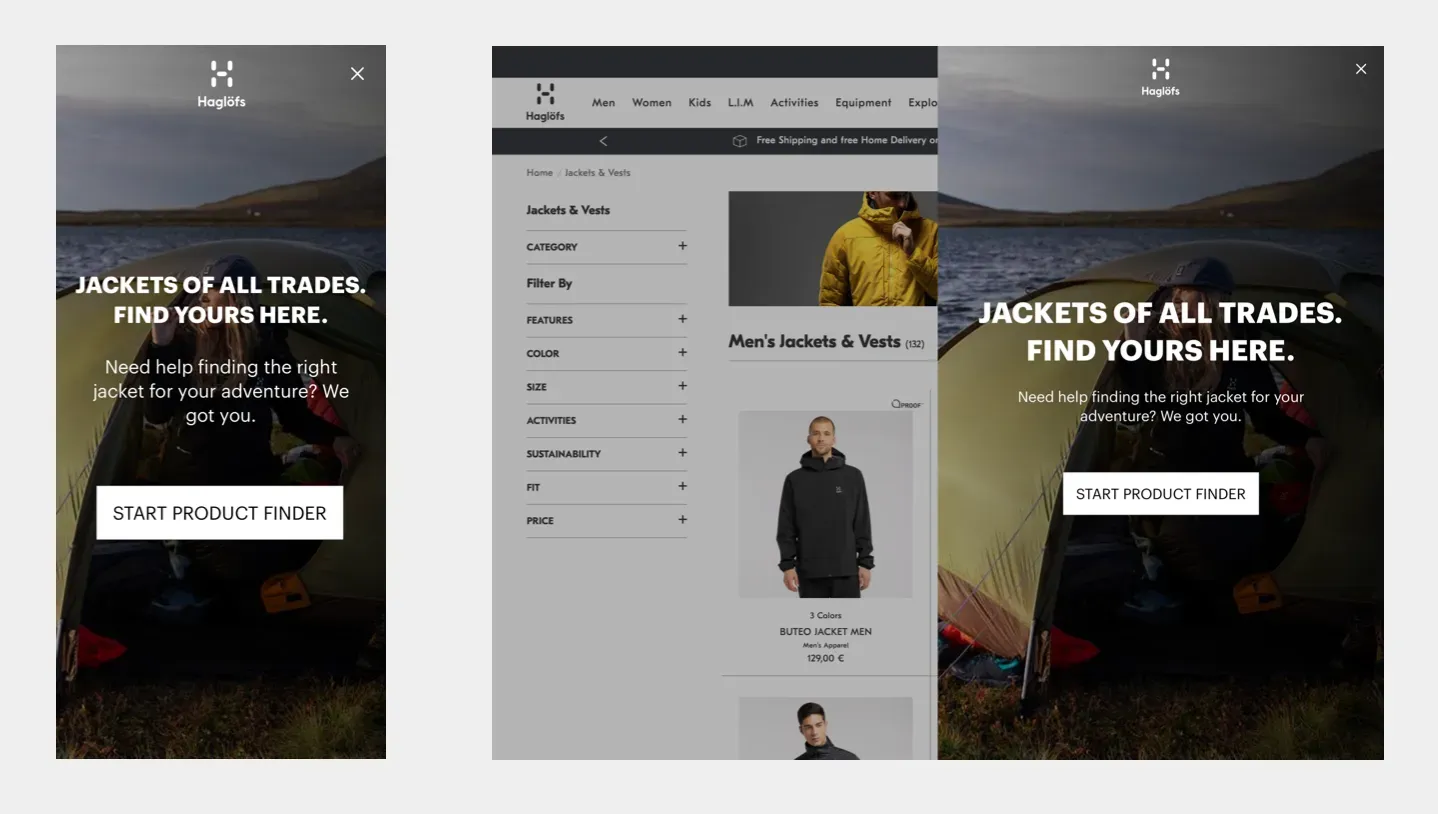
For the outdoor brand Haglofs, we built a mockup of a Jacket Finder.
The goal was to help uncomplicate a product that is very technical – while finding different kinds of product uses.
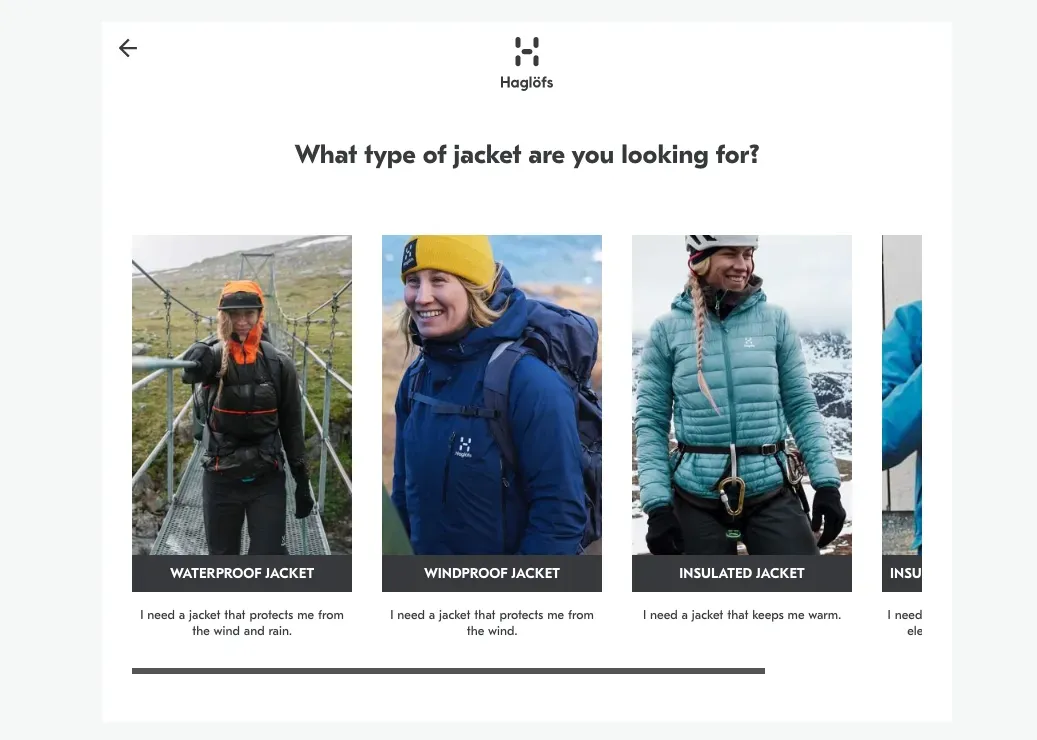
We observed that many outdoor retailers will share product attributes like ‘GORE-TEX’ fabric, or ‘Chin Guard’. But it’s up to the retailer to translate these attributes into benefits for the customer.
For example:
- GORE-TEX fabric: = Waterproof/ Windproof
- Chin Guard = Reduces chafing against skin.
Product Finders for activewear need to leverage human language. They need to show options that are based on benefits and not complicated attributes.
Then, the brand can see what kinds of messages drive behavior, what kinds of products people choose, and, importantly, why.
4. Sweaty Betty Leggings Quiz
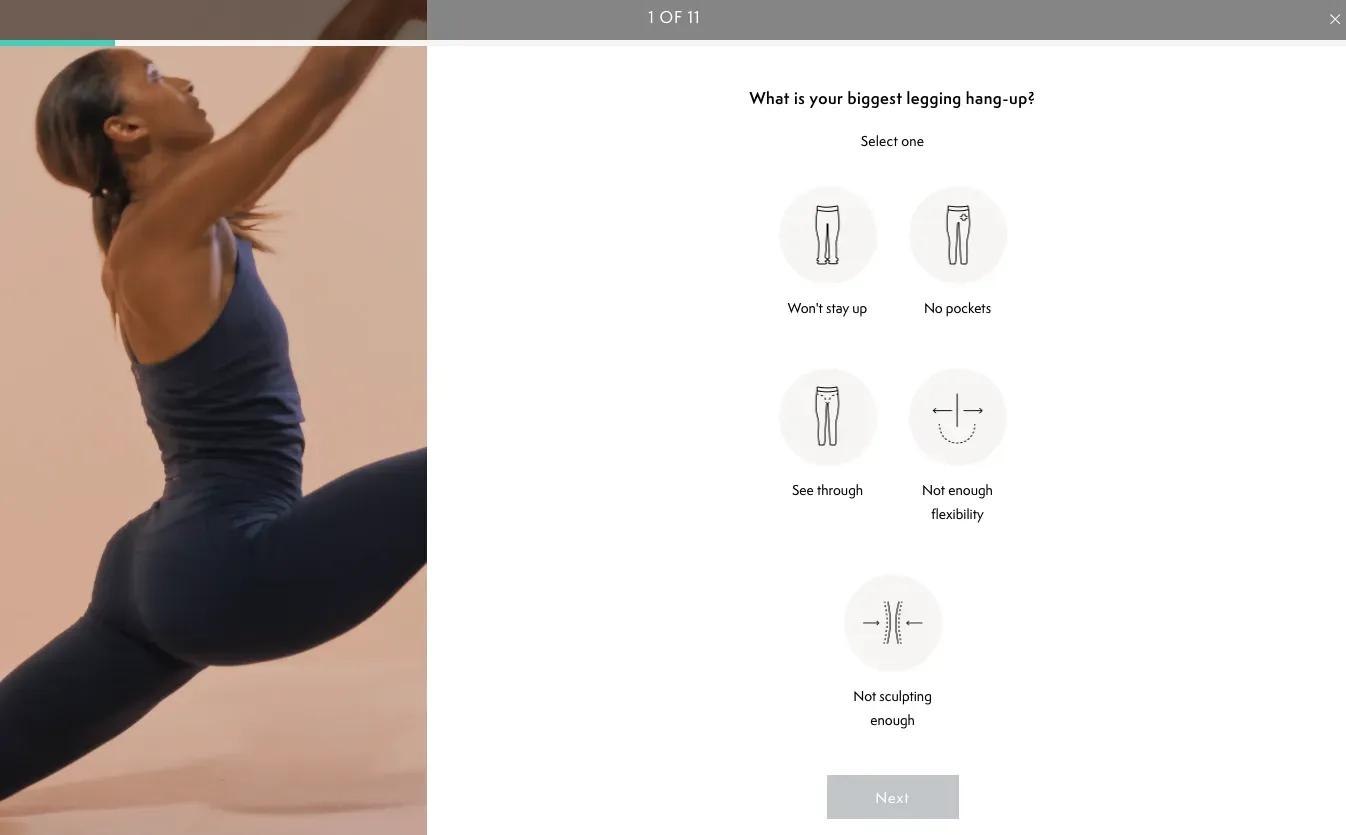
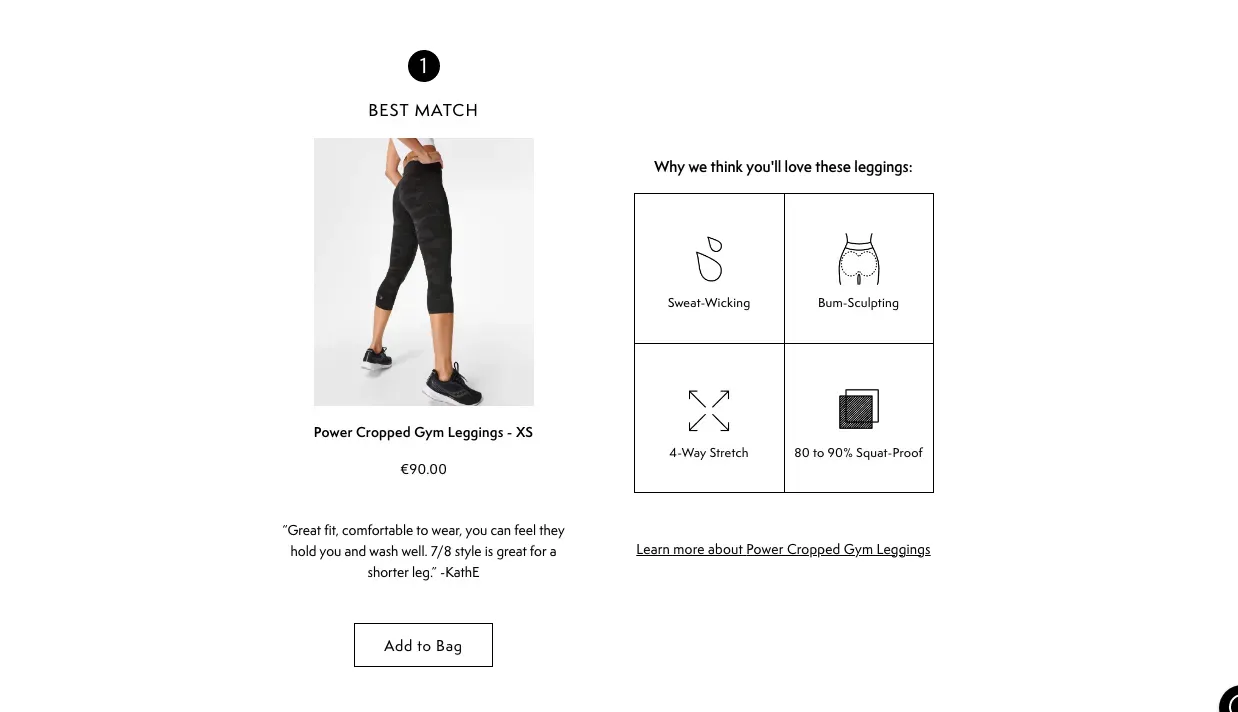
We didn’t build this Product Finder – but Sweaty Betty’s Leggings Quiz is a great example of everything we’ve already discussed.
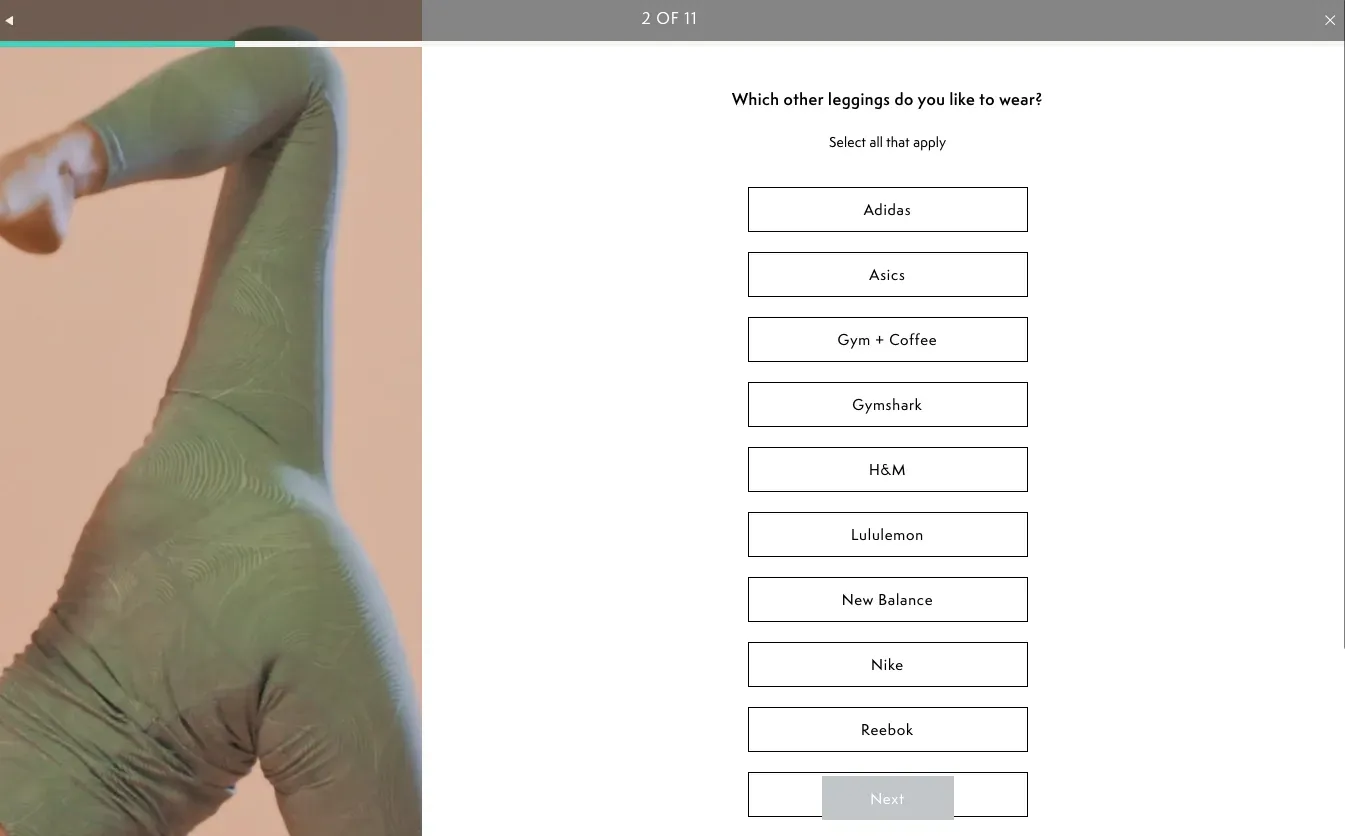
They ask the right questions to determine the user’s shopping goals, while collecting valuable information to:
- Direct them to the right product
- Understand their needs
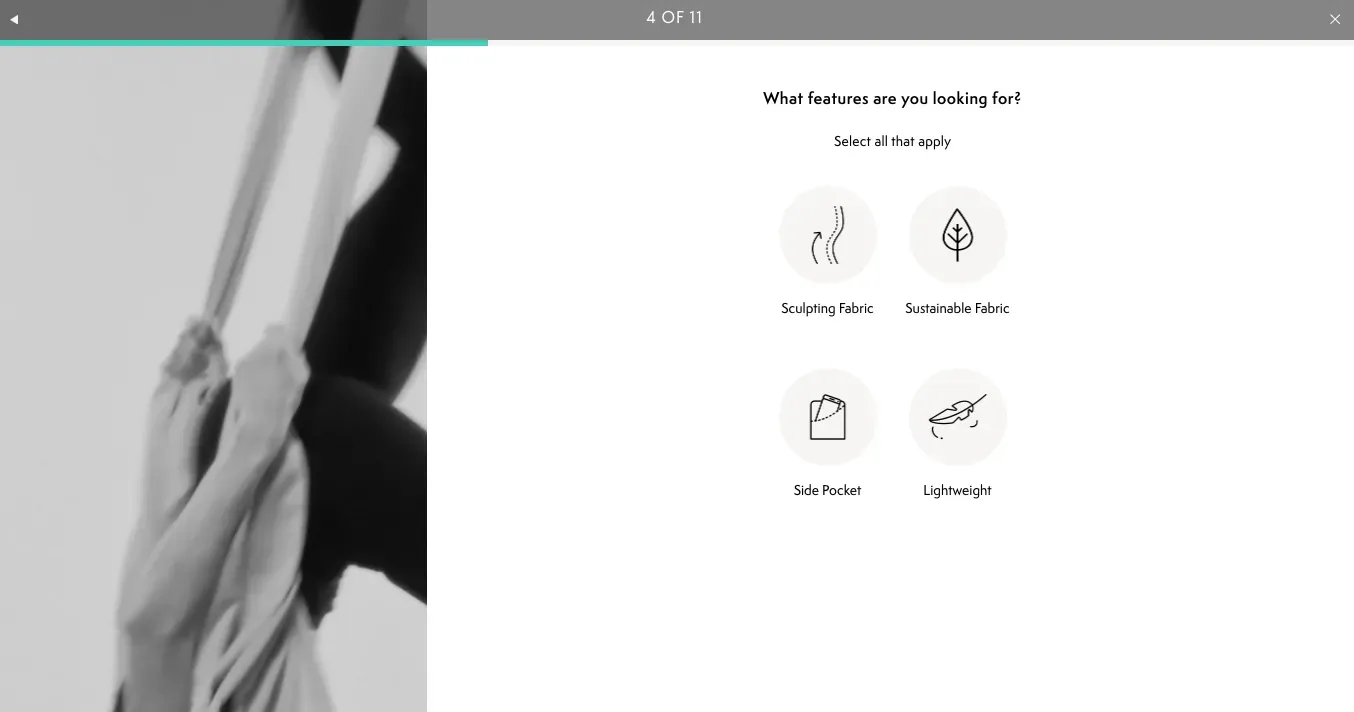
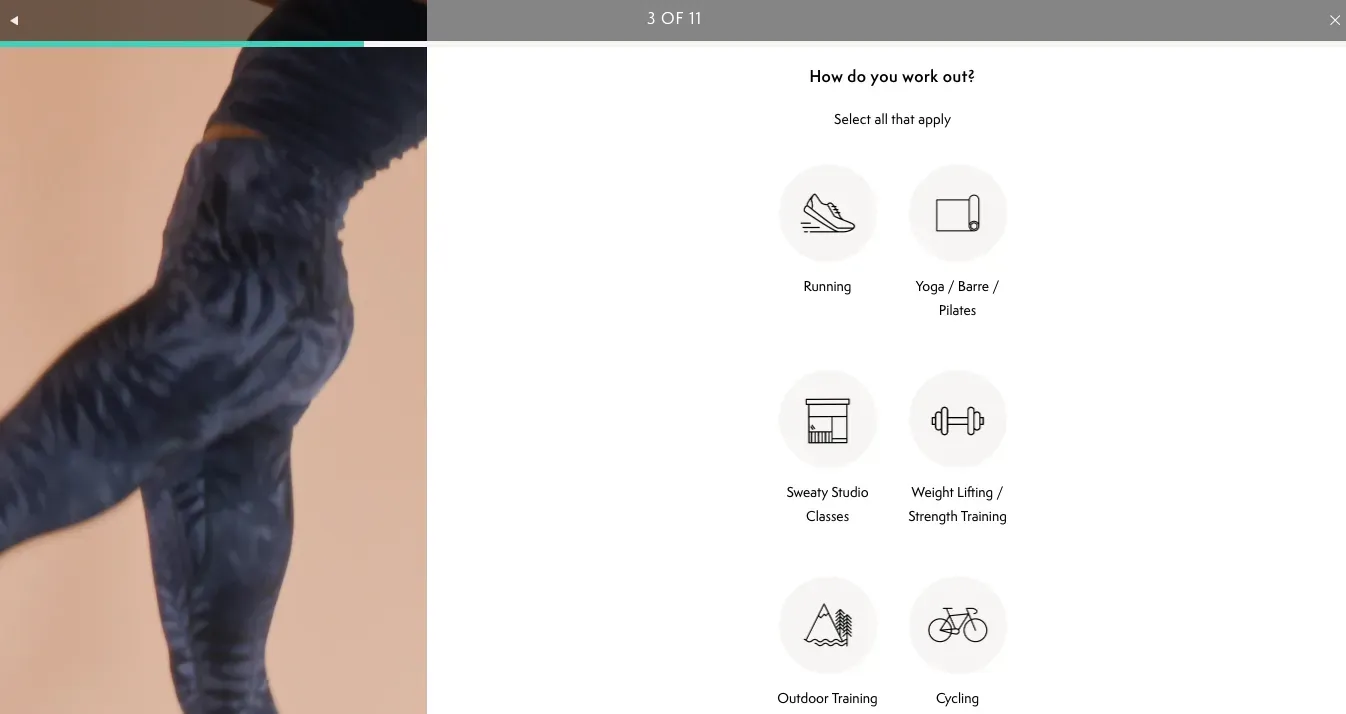
They don’t confuse the shopper with overexplained or complex product attributes. Instead, they choose four attributes that are matched with what their audience needs.
Their choice of ‘sustainable fabric’ shows they understand who their shoppers are (environmentally conscious) and want to put that kind of information in front of them.
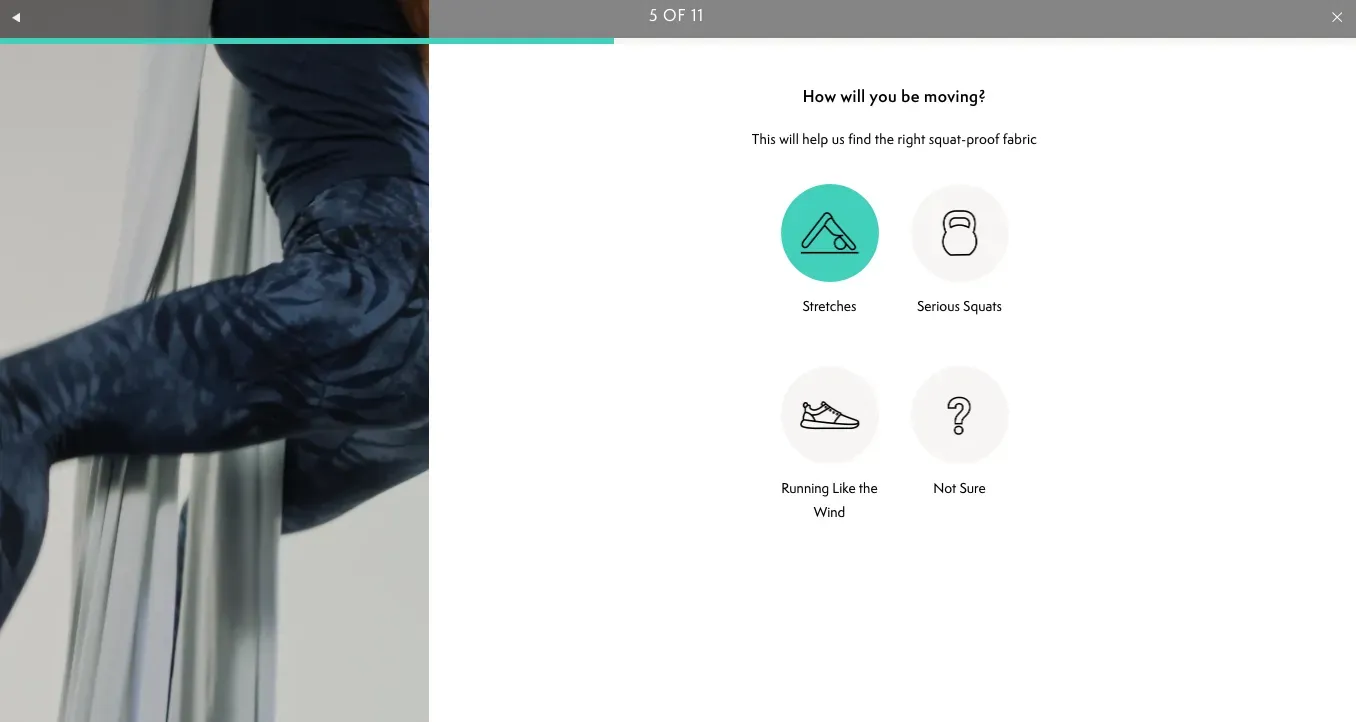
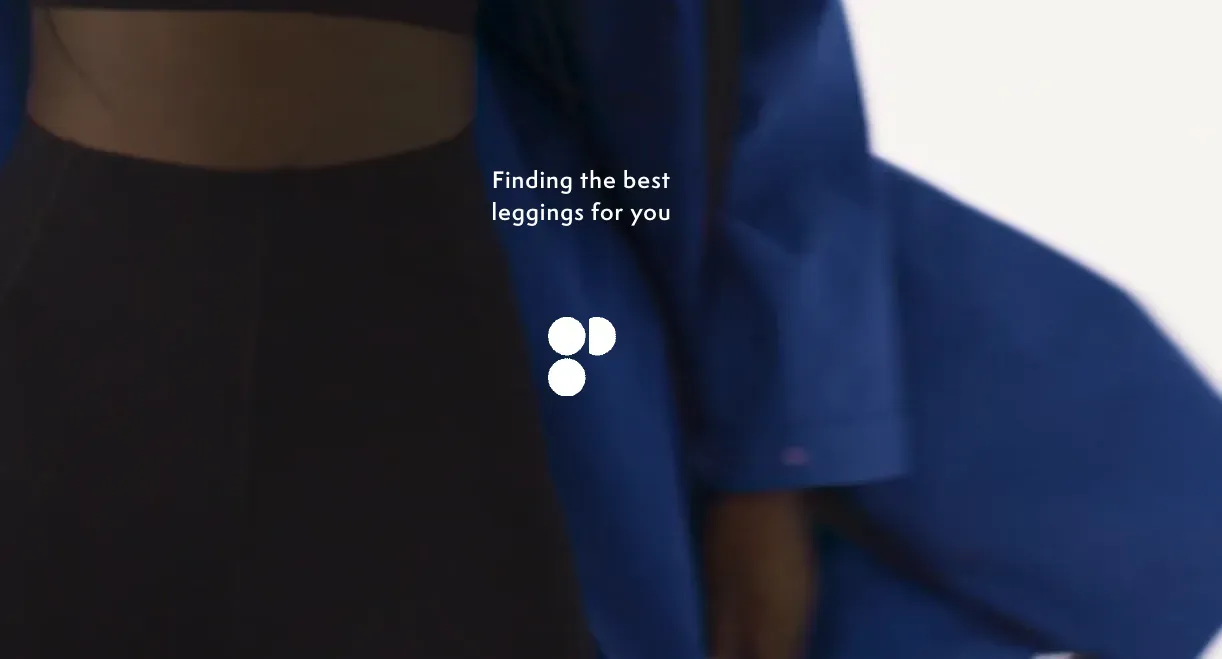
They have a loading screen, and their final recommendation shows the Best Match, Great Match, and Good Match. This is a great example of a leading brand leveraging a Finder in the right way.
Conclusion
In this Product Finder playbook, you’ve seen how to build and step up a Product Finder for activewear in three steps:
- Implement
- Design
- Inspire
To learn more about guided selling in the activewear industry as a whole, download our Activewear Report!